After moving mailboxes from Plesk or cPanel to another server, mail programs that were set up on the old server often start creating their own Sent, Drafts, Trash and Spam folders under the Inbox, and folders you delete keep coming back. The cause is a single setting: Plesk and cPanel name every folder with an INBOX. prefix, so the mail program on the customer's laptop asks for INBOX.Sent, not Sent. Panelica answers both names for accounts moved from those panels. A per-mailbox switch called Plesk/cPanel mail program compatibility merges any stray INBOX.* folders into the real ones and makes the old names point at them, without deleting a single message; Plesk and cPanel migrations turn it on automatically. It ships with panelica-server 1.0.546 and later, with the current behaviour from 1.0.551 on the beta update channel.
What Actually Goes Wrong
IMAP servers can present folders in different ways. Plesk and cPanel run Dovecot with a namespace prefix of INBOX.: on those servers, the Sent folder is literally called INBOX.Sent, Trash is INBOX.Trash, and a customer folder like Invoices is INBOX.Invoices. Mail programs store those full names when the account is first set up and keep using them.
Most other servers, Panelica included, use no prefix: Sent is simply Sent. After the move, the mail program asks for INBOX.Sent, does not find it, and creates it — as a sub-folder of the Inbox. From then on, sent mail lands in that new folder, the webmail shows a different Sent folder than the phone, and deleting the duplicate does not help, because the program recreates it on the next start. We measured this on a real Plesk server restored onto Panelica: 33 such folders in 27 mailboxes within a day.
A second, smaller problem made it worse. Panelica did not tell mail programs which folder plays which role, so some of them guessed and created Sent Messages, Deleted Messages or Junk E-mail next to the real ones.
What Panelica Does About It
Folder roles for every mailbox
Panelica now marks the usual folder names with their role, using the IMAP SPECIAL-USE flags that mail programs read: Sent, Sent Messages and Sent Items as Sent; Drafts; Trash, Deleted Messages and Deleted Items as Trash; Junk, Spam and Junk E-mail as Junk. Nothing is created by this: a folder a customer deleted stays deleted, and existing folders and messages are not touched. Mail programs simply stop guessing.
Older panel versions had also subscribed some mailboxes to folders that did not exist, which Thunderbird showed as /Sent or /Trash. Those phantom subscriptions are removed from every mailbox automatically.
Plesk/cPanel compatibility per mailbox
For mailboxes that came from Plesk or cPanel, one more switch makes the old names work. When it is turned on, Panelica first moves the contents of every INBOX.* sub-folder into the matching main folder — INBOX.Sent into Sent, INBOX.Invoices into Invoices, creating the target if needed — and removes the emptied sub-folders. Then it enables a hidden alias for that mailbox: whenever a mail program asks for INBOX.Something, it gets Something.
The merge runs before the alias is switched on, so a message is never hidden behind it. If anything fails during the merge, the switch stays off, and messages that were already moved stay in their new folder; nothing is lost.
The spam folder the customer already had
Plesk files spam into a folder called Spam; Panelica's default is Junk. Leaving both would give the customer two spam folders. With compatibility on, Panelica adopts the mailbox's existing spam folder (Spam, or a lower-case spam), merges anything in Junk into it, removes the empty Junk folder, and points the spam filter rule and spam training at the adopted folder.
Why It Is Per Mailbox
Turning the alias on for every mailbox on the server would break something else: on an account that never lived on Plesk, a real folder the customer created inside the Inbox — say INBOX.Customers — would be hidden behind the alias. So the switch is per mailbox. Plesk and cPanel migrations turn it on for the mailboxes they bring over, and you can turn it on by hand for mailboxes copied any other way.
Turning It On by Hand

The compatibility option in the mailbox's protocol settings, with its explanation.
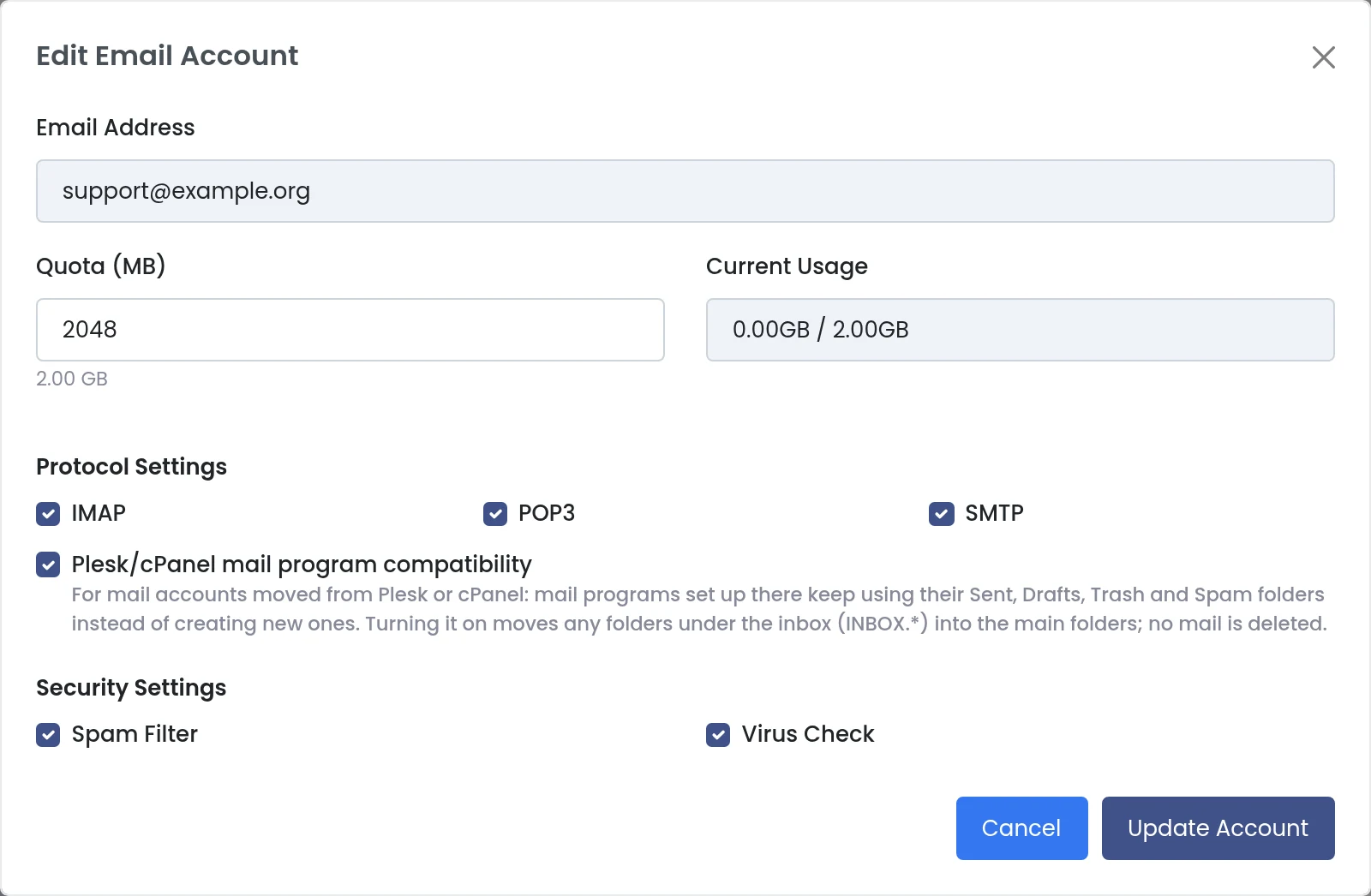
The full edit dialog of a mailbox.
Webmail is unaffected either way: it uses the plain folder names, so customers see one Inbox, one Sent, one Drafts, one Junk or Spam and one Trash in webmail, in Outlook and on the phone.
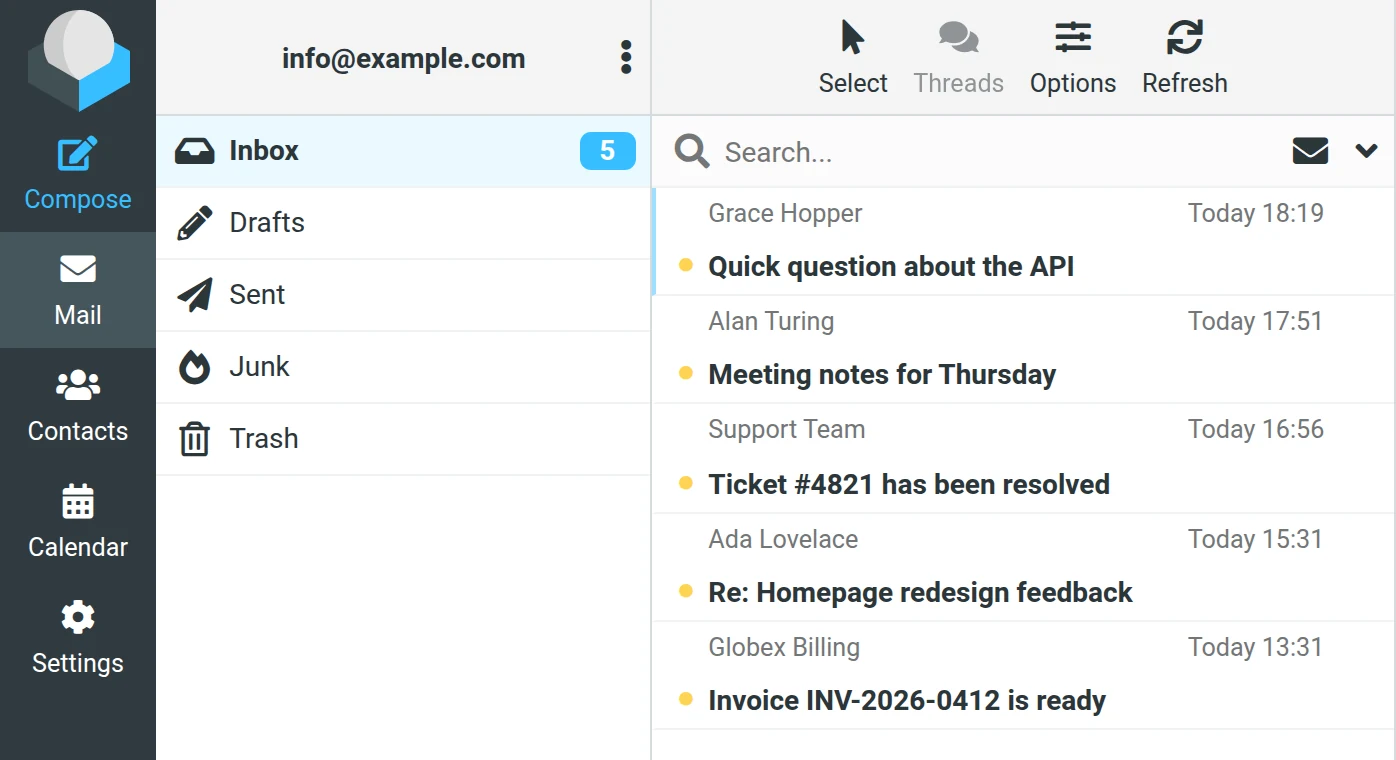
Webmail on Panelica: one set of standard folders.
If Stray Folders Already Exist
Mailboxes moved before this change may already have INBOX.Sent, INBOX.Trash and friends. Turning compatibility on is the clean-up: their contents are merged into the real folders and the empty duplicates removed. Ask customers to restart their mail program afterwards so it refreshes its folder list; most programs then show the merged folders without further changes.
Frequently Asked Questions
Do customers need to reconfigure Outlook or Thunderbird after the move?
No. With compatibility on, the folder names their mail program already uses keep working.
Does turning compatibility on delete any mail?
No. Messages are moved from the INBOX.* sub-folders into the main folders; only the emptied sub-folders are removed.
Why is it not on for every mailbox?
On mailboxes that never used the prefix, real sub-folders of the Inbox would be hidden behind the alias. It is only for mailboxes that came from Plesk or cPanel.
Is it turned on automatically?
Yes, for mailboxes brought over by Panelica's Plesk and cPanel migrations. For mailboxes copied another way, tick it in the mailbox settings.
What happens to the Junk folder?
With compatibility on, the mailbox keeps the spam folder it had on the old server, usually Spam. Anything in Junk is merged into it, and spam filtering files new spam there.
Can I turn it off again?
Yes. The alias is switched off; the merged folders stay where they are, and the adopted spam folder remains the mailbox's spam folder so a second one does not appear.