WordPress 7.0 is scheduled for release on April 9, 2026. It is not a routine update. This release introduces AI integration into core, real-time multi-user editing, client-side media processing, and a rebuilt admin interface. Each of these features expands the attack surface of every WordPress installation on the internet.
That matters because the WordPress ecosystem recorded 11,334 new vulnerabilities in 2025 — a 42% increase over the previous year. The median time from vulnerability disclosure to mass exploitation is now five hours.
This article breaks down what WordPress 7.0 actually changes, where the new risks are, and what a production hosting environment needs to handle them.
In This Article
- What WordPress 7.0 Actually Brings
- AI Connectors: Power and Risk in Equal Measure
- Real-Time Collaboration: The End of "Post Locked"
- Client-Side Media Processing: Offloading to the Browser
- DataViews: The Admin Interface Rebuilt
- The Expanded Attack Surface — By the Numbers
- Why Traditional Hosting Falls Short
- What Tenant Isolation Actually Means for WordPress
- The Security Stack WordPress 7 Demands
- PHP Readiness: The Silent Compatibility Killer
- Pre-Upgrade Checklist
- Looking Ahead
1. What WordPress 7.0 Actually Brings
WordPress 7.0 marks the official launch of Phase 3 of the Gutenberg project, focused on collaboration and workflows. But behind that label are architectural changes that affect every layer of the stack:
AI Integration
A new WP AI Client in core, with a Connectors UI for managing API keys to OpenAI, Anthropic Claude, and Google Gemini. AI is no longer a plugin — it is infrastructure.
Real-Time Collaboration
Multiple users editing the same post simultaneously. The "Post is currently being edited by..." lock screen is gone, replaced by live co-editing with color-coded change tracking.
Client-Side Media
Image resizing and compression now happen in the browser before upload. Server CPU usage for media processing drops by over 80% — but new HTTP headers are required.
DataViews Admin
The classic WP_List_Table is being replaced with a React-based interface. Posts, Pages, and Media screens are completely rebuilt. Plugins hooking into the old DOM structure will break.
WordPress is also returning to a three-release annual cadence: 7.0 in April, 7.1 in August, and 7.2 in December 2026.
2. AI Connectors: Power and Risk in Equal Measure
The most significant change in WordPress 7.0 is not a visual one. It is the introduction of AI as a core platform capability.
Under Settings → Connectors, administrators can now configure API keys for OpenAI, Anthropic, and Google. Once configured, any compatible plugin can call wp_ai_client_prompt() to generate text, analyze content, or process data through external AI models.
A new prompt_ai capability restricts AI access to administrators by default. API credentials are stored in the WordPress database — the same database that powers the rest of the site.
Where the Risks Are
wp_options are accessible to any code running within that WordPress installation. A single SQL injection vulnerability in any plugin — not just AI plugins — can expose keys that control billing accounts at OpenAI, Anthropic, or Google. In November 2025, a critical vulnerability in the AI Engine plugin placed over 100,000 sites at risk of full compromise through unauthenticated privilege escalation.
Prompt Injection. When plugins pass user-generated content to AI models, attackers can embed instructions within that content — asking the model to reveal system prompts, extract data, or generate malicious output. WordPress 7.0 provides the transport layer but no built-in sanitization for AI-bound content.
Credential Sharing. The Connectors architecture is designed so that all compatible plugins share the same API credentials. If one plugin has a vulnerability that allows arbitrary API calls, every AI-connected feature on the site is compromised.
wp_options table. The blast radius stays contained.
3. Real-Time Collaboration: The End of "Post Locked"
WordPress 7.0 drops the experimental flag from real-time collaboration. Multiple users can now edit the same post simultaneously, with changes synced across sessions. Added blocks appear with green outlines, removed blocks with red, and modified settings with yellow.
The default transport is HTTP polling — it works on standard shared hosting without WebSocket support. But the experience improves with WebSocket connections, and WordPress allows developers to override the transport layer with custom providers.
Where the Risks Are
Mixed-Privilege Sessions. When an administrator and an editor collaborate on the same post, the editing session operates at the intersection of their permissions. Security questions around mixed-privilege editing sessions have been raised during the beta period but are not fully resolved.
Custom WebSocket Providers. When developers replace the default HTTP polling with WebSocket implementations, they inherit responsibility for authentication, authorization, connection lifecycle management, and cleanup of stale channels. A poorly implemented WebSocket provider can expose editing sessions to unauthorized users.
Session State. Real-time collaboration maintains persistent state about who is editing what. This state must be correctly invalidated — ghost presence indicators and stale channels are not just UX problems but potential vectors for information disclosure about site content and user activity.
4. Client-Side Media Processing: Offloading to the Browser
WordPress 7.0 moves image sub-sizing from the server to the browser. Instead of uploading a 4MB photo and waiting for PHP to generate thumbnails, the browser handles resizing and compression locally, then uploads both the original and processed versions.
This is a genuine performance improvement — server CPU usage for media processing can drop by over 80%. But it requires specific HTTP headers that most WordPress installations do not currently send.
The Technical Requirements
Client-side media processing uses SharedArrayBuffer, which browsers restrict for security reasons. To enable it, the server must send two headers:
Cross-Origin-Opener-Policy: same-origin(COOP)Cross-Origin-Embedder-Policy: credentialless(COEP)
These headers put the page into a cross-origin isolated state. That isolation can break third-party embeds, iframes, and resources loaded from external domains. WordPress will use credentialless rather than require-corp as a progressive enhancement, but compatibility varies across browsers — embed previews work in Chrome but may fail in Firefox and Safari.
.htaccess modifications, header consistency is guaranteed.
5. DataViews: The Admin Interface Rebuilt
The Posts, Pages, and Media list screens in wp-admin are being rebuilt with DataViews — a React-based component that replaces the legacy WP_List_Table PHP class. The new interface offers list, grid, and table views with inline filtering, sorting, density controls, and persistent preferences.
For administrators, this is a better experience. For the ecosystem, it is a compatibility event.
What Breaks
Any plugin that modifies the Posts, Pages, or Media list views by hooking into the old DOM structure — adding columns, injecting buttons, modifying row actions — may display incorrectly or lose functionality entirely. This includes popular SEO plugins, bulk editing tools, and custom post type managers.
The security implication is indirect but important: when plugins break after an update, administrators delay applying security patches. A site running WordPress 7.0 with three broken plugins is a site where the next critical security update may be postponed indefinitely.
6. The Expanded Attack Surface — By the Numbers
The Patchstack State of WordPress Security 2026 report, published February 25, provides the numbers that frame everything above:
Additional findings from the report:
- Highly exploitable vulnerabilities increased 113% year-over-year
- 76% of premium plugin vulnerabilities were exploitable in real-world attacks
- Traditional hosting defenses blocked only 12% of attacks when focused on known exploited vulnerabilities, rising to just 26% with broader coverage
- Starting in 2026, every commercial WordPress plugin sold to European users must have a vulnerability disclosure program by law
WordPress 7.0 does not create these vulnerabilities. But it adds new categories of attack surface — AI credential theft, collaboration session manipulation, cross-origin isolation bypasses — on top of an ecosystem that is already recording over 30 new vulnerabilities per day.
7. Why Traditional Hosting Falls Short
The Patchstack finding that traditional hosting defenses block only 12–26% of WordPress attacks is not surprising when you examine what "traditional" means:
- Shared PHP execution. All WordPress installations on a server run under the same system user, or under a small number of shared users. A vulnerability in one site gives the attacker read access to every other site's files, including
wp-config.phpand its database credentials. - No resource boundaries. A cryptominer injected into one WordPress installation can consume 100% of server CPU. Without per-user resource limits enforced at the kernel level, every other site on that server suffers.
- Generic WAF rules. A firewall that does not understand WordPress-specific request patterns — distinguishing legitimate Gutenberg API calls from exploitation attempts — either blocks too much (breaking the editor) or too little (missing attacks).
- No file integrity monitoring. If a PHP file is modified or added to the uploads directory, the hosting platform does not notice. Detection depends entirely on the WordPress installation itself, which may already be compromised.
WordPress 7.0 makes each of these gaps wider. AI API keys are higher-value targets than database credentials. Collaboration sessions create new state to protect. Client-side media processing requires server configuration that shared hosting rarely provides.
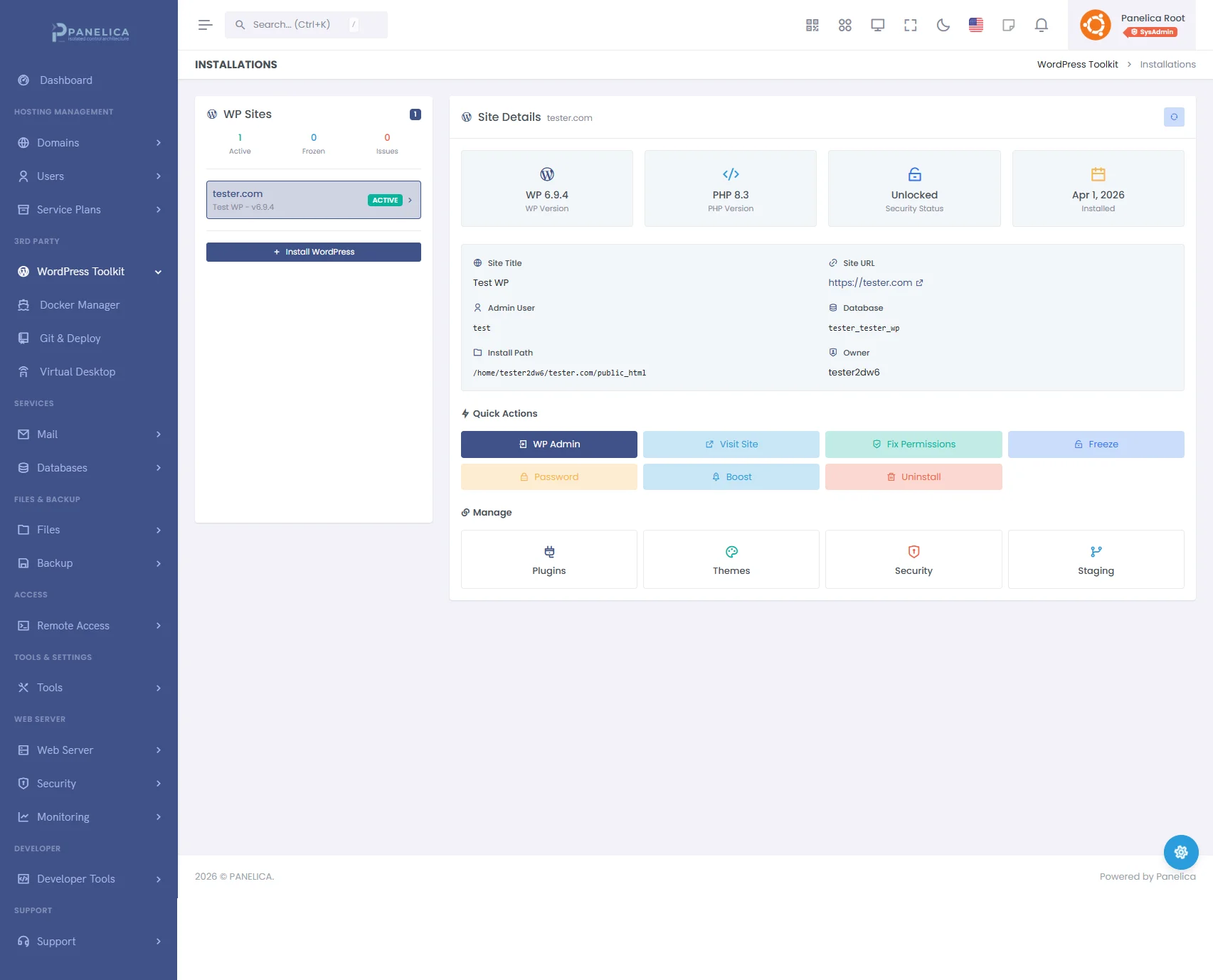
Panelica WordPress Toolkit — Complete WordPress management from your panel
8. What Tenant Isolation Actually Means for WordPress
The phrase "tenant isolation" appears in many hosting marketing pages. What it means in practice — and what it means specifically for WordPress security — varies enormously.
Meaningful isolation for WordPress requires multiple layers working together:
| Layer | What It Does | What It Prevents |
|---|---|---|
| Cgroups v2 | Kernel-enforced CPU, memory, I/O, and process limits per account | Cryptominers, fork bombs, resource exhaustion affecting neighbors |
| Per-User PHP-FPM | Separate PHP process pool per user, per PHP version | Cross-site code execution, shared memory exploits |
| Filesystem Isolation | Each account restricted to its own directory tree | Reading other sites' wp-config.php, uploading shells to neighbors |
| Process Isolation | Separate PID namespaces per account | Process enumeration, signal injection, /proc information leaks |
| Network-Level WAF | WordPress-aware ModSecurity rules + OWASP CRS | SQL injection, XSS, file inclusion, XML-RPC abuse |
When all five layers are present, the blast radius of a compromised WordPress site is limited to that site alone. The attacker gains control of one installation but cannot pivot to others, cannot exhaust server resources, and cannot access the hosting platform itself.
This is particularly relevant for WordPress 7.0's AI Connectors. If a site's wp_options table is compromised, the attacker gets that site's AI API keys — but not the keys belonging to any other site on the same server. Without per-user isolation, a single SQL injection vulnerability gives access to every database on the server.
9. The Security Stack WordPress 7 Demands
Given the new attack surface, here is what a production WordPress hosting environment needs — not as optional add-ons, but as baseline capabilities:
Malware Detection
Signature-based scanning (ClamAV or equivalent) is necessary but not sufficient. Modern WordPress malware uses obfuscation — base64 encoding, variable function names, encrypted payloads — that evades signature matching. Effective detection requires multiple layers:
- Hash matching against known malware signatures
- Pattern analysis for suspicious PHP constructs (
eval(),base64_decode(),system()) - Behavioral analysis for files that exhibit malware-like behavior
- Entropy analysis for compressed or encrypted payloads
- Obfuscation detection for encoded content designed to evade other layers
A five-layer detection engine catches threats that any single layer would miss.
Login Protection
WordPress 7.0's collaboration features mean more users are logged in simultaneously, increasing the value of credential theft. The hosting platform should enforce:
- Per-IP failed attempt limits with configurable block duration
- Rate limiting on
wp-login.phpandxmlrpc.php - GeoIP-based country blocking for admin access
- Bot classification with rDNS verification (distinguishing Googlebot from spoofed crawlers)
- Cross-site threat correlation (an IP attacking one WordPress installation is immediately flagged across all installations on the server)
WordPress-Aware WAF
Generic WAF rules either break WordPress or fail to protect it. The firewall needs rules specifically designed for WordPress — understanding the difference between a legitimate Gutenberg API request and an exploitation attempt, handling WordPress's XML-RPC endpoint, and correctly filtering comment submissions without blocking the post editor.
Staging and Rollback
The DataViews migration means plugin compatibility is not guaranteed. Before upgrading to WordPress 7.0, every production site should be:
- Cloned to a staging environment
- Upgraded in staging
- Tested for plugin and theme compatibility
- Promoted to production only after verification
This workflow needs to be a built-in feature of the hosting platform, not a manual process involving SSH, mysqldump, and rsync.
Automated Backups with Integrity Verification
Before any major upgrade, a verified backup must exist. "Verified" means a SHA-256 checksum confirming the backup is complete and uncorrupted — not just a file on disk that might be empty or truncated. Backup and restore should support granular options: full (files + database), database only, or files only.
10. PHP Readiness: The Silent Compatibility Killer
WordPress 7.0 raises the minimum PHP requirement to 7.4 and recommends PHP 8.3 or higher for optimal performance.
This is a larger issue than it appears. According to WordPress.org's own statistics, a significant percentage of WordPress installations still run PHP versions below 8.0. Sites on PHP 7.2 or 7.3 cannot update to WordPress 7.0 at all — they will be stuck on WordPress 6.9.x, receiving only security patches until those too are discontinued.
A hosting platform that supports multiple PHP versions simultaneously — allowing administrators to test their sites on PHP 8.3 or 8.4 before switching — removes the most common reason for delaying both PHP and WordPress upgrades. Per-site PHP version selection, rather than server-wide PHP configuration, is essential.
php.ini configuration, and its own resource limits.
11. Pre-Upgrade Checklist
When WordPress 7.0 releases on April 9, here is what to do before upgrading any production site:
| # | Step | Why |
|---|---|---|
| 1 | Create a verified backup (files + database) | Rollback point if upgrade fails |
| 2 | Check PHP version (minimum 7.4, recommended 8.3+) | WP 7.0 will refuse to install on PHP 7.2/7.3 |
| 3 | Clone to staging environment | Test without risking production |
| 4 | Upgrade WordPress in staging | Catch errors before they reach visitors |
| 5 | Test all plugins, especially list-view modifications | DataViews breaks old DOM hooks |
| 6 | Test AI Connectors if you plan to use them | Verify credential storage and access controls |
| 7 | Check third-party embeds and iframes | COOP/COEP headers may break cross-origin resources |
| 8 | Verify WAF rules are WordPress 7.0 compatible | New Gutenberg API endpoints must not be blocked |
| 9 | Promote staging to production | Tested, verified, ready |
| 10 | Monitor error logs for 48 hours post-upgrade | Catch edge cases that testing missed |
12. Looking Ahead
WordPress 7.0 is the beginning of a new era for the platform — not just in features but in the complexity of the security challenges it presents. AI credentials in databases. Real-time collaboration state. Cross-origin isolation requirements. A rebuilt admin interface that will temporarily break parts of the plugin ecosystem.
None of these are reasons to avoid WordPress 7.0. The new features are genuine improvements that make WordPress more capable and more competitive. But they demand a hosting environment that has evolved beyond the shared-PHP, single-WAF, hope-for-the-best model that still dominates the industry.
The hosting platforms that will handle WordPress 7.0 well are the ones built on kernel-level tenant isolation, multi-layer malware detection, WordPress-specific WAF rules, built-in staging workflows, and per-site PHP version management. Not because these are nice-to-have features, but because WordPress 7.0 has made them requirements.
The release is four weeks away. The question is not whether to upgrade. It is whether your server is ready for what that upgrade brings.
Data sources: WordPress.org Beta Announcements, Patchstack State of WordPress Security 2026, Make WordPress Core, DataViews in WordPress 7.0, WP AI Client GitHub.