Panelica's External API and command line tool can now issue a domain's mail SSL certificate and create one-click webmail logins. POST /v1/ssl/domains/{id}/mail/issue queues a certificate for the domain's mail hostname and webmail.<domain>, which the panel issues within seconds; GET on the same path reports its status and, if it failed, the certificate authority's exact reason. POST /v1/email-accounts/{id}/webmail-sso returns a single-use URL, valid for 60 seconds, that opens the mailbox in webmail without the mailbox password. The same actions exist as panelica ssl mail status|issue and panelica email accounts webmail-login, and the mail certificate also has a card on the domain's SSL tab. Webmail logins arrived with panelica-server 1.0.551, mail SSL with 1.0.552, on the beta update channel.
Who This Is For
Hosting providers who sell mail through a billing system or their own client area, and agencies that script their servers. Two requests come up again and again in those setups: "secure the customer's mail with a real certificate right after the domain is created" and "let the customer open webmail from our client area without typing a password". Both used to need a person in the panel. Now both are one API call.
Calling the External API
The External API is reached through the panel's own address, under /api/external/, and every request is signed with an API key's secret. Create a key under Developer › API Management with only the scopes the integration needs — for the examples below, ssl:read, ssl:write, email:read, email:write and domains:read.
The signature is an HMAC-SHA256 of the method, the path as the API sees it (starting with /v1, including any query string), a Unix timestamp and the request body, sent in three headers:
A key can also be limited to the IP addresses of your billing server. Every call is logged against the key, so you can see later what an integration did.
Mail SSL: What the Certificate Covers
A domain's website certificate does not cover the names mail programs connect to. The mail certificate does: it is issued for the domain's mail hostname (mail.<domain> unless the server administrator configured another) and for webmail.<domain>. Mail programs then see a valid certificate on IMAP, POP3 and SMTP, and the webmail address opens without a warning.
In the panel, the certificate has its own card on the domain's SSL tab, with its status, the mail hostname, the validity period when it is active, and a Get certificate button.
Issuing a Mail Certificate From the API
Issuing is a queued operation. The request returns 202 straight away; the panel's backend picks the request up within seconds and talks to the certificate authority. Poll the status until it says active or failed. With DNS validation it can take a few minutes.
| Call | Scope | What it does |
|---|---|---|
GET /v1/ssl/domains/{domain_id}/mail | ssl:read | Status: missing, pending, renewing, active or failed, with the host name, issuer, validity dates, days left and the last error |
POST /v1/ssl/domains/{domain_id}/mail/issue | ssl:write | Queues issuance or renewal and returns 202 |
Access follows the same rule as website certificates: a key can only act on domains its user is allowed to manage.
The Same From the Command Line
On the server itself, panelica talks to the panel directly:
From another machine, the same tool works against the External API: run panelica configure --api-key=... --api-secret=... --use-external and point --api-url at https://panel.example.com:8443/api/external. The CLI then signs every request as described above. Requests made in this external mode were not signed correctly before 1.0.552; update the CLI together with the server if you script from outside.
When Issuance Fails, You See Why
A failed attempt is not reported as "something went wrong". The status carries the certificate authority's own message, in the API, in the CLI and on the card. The example below is from our screenshot server, whose domains are all example.com names that Let's Encrypt refuses by design:
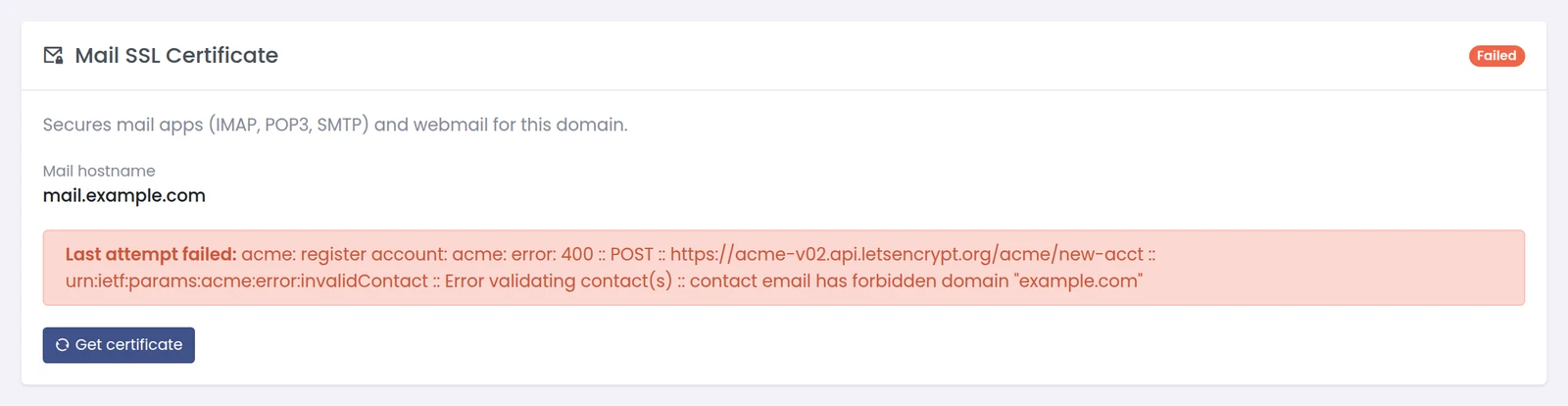
The same failure on the domain's SSL tab: the authority's reason, and when the next attempt is allowed.
After a failure, the next attempt is held back for five minutes so a broken DNS record does not run into the certificate authority's rate limits; an issue request in that window answers with a clear "try again in a few minutes". The usual real-world causes are a mail host that does not resolve to the server yet, or DNS hosted elsewhere without the record. Fix the record, wait out the pause, and issue again.
One-Click Webmail From Your Client Area
For webmail, the integration asks for a login link and sends the customer's browser to it:
The link works once and expires after 60 seconds. The token sits after the #, which browsers never send to a server, so it stays out of access logs and referrer headers. The panel's landing page takes it from there and logs the browser in to Roundcube; the login uses the mail server's master identity, so the mailbox password is never read, stored or changed. Who may request a link follows the same rule as changing that mailbox's password through the API: a login link grants nothing that permission does not already allow.
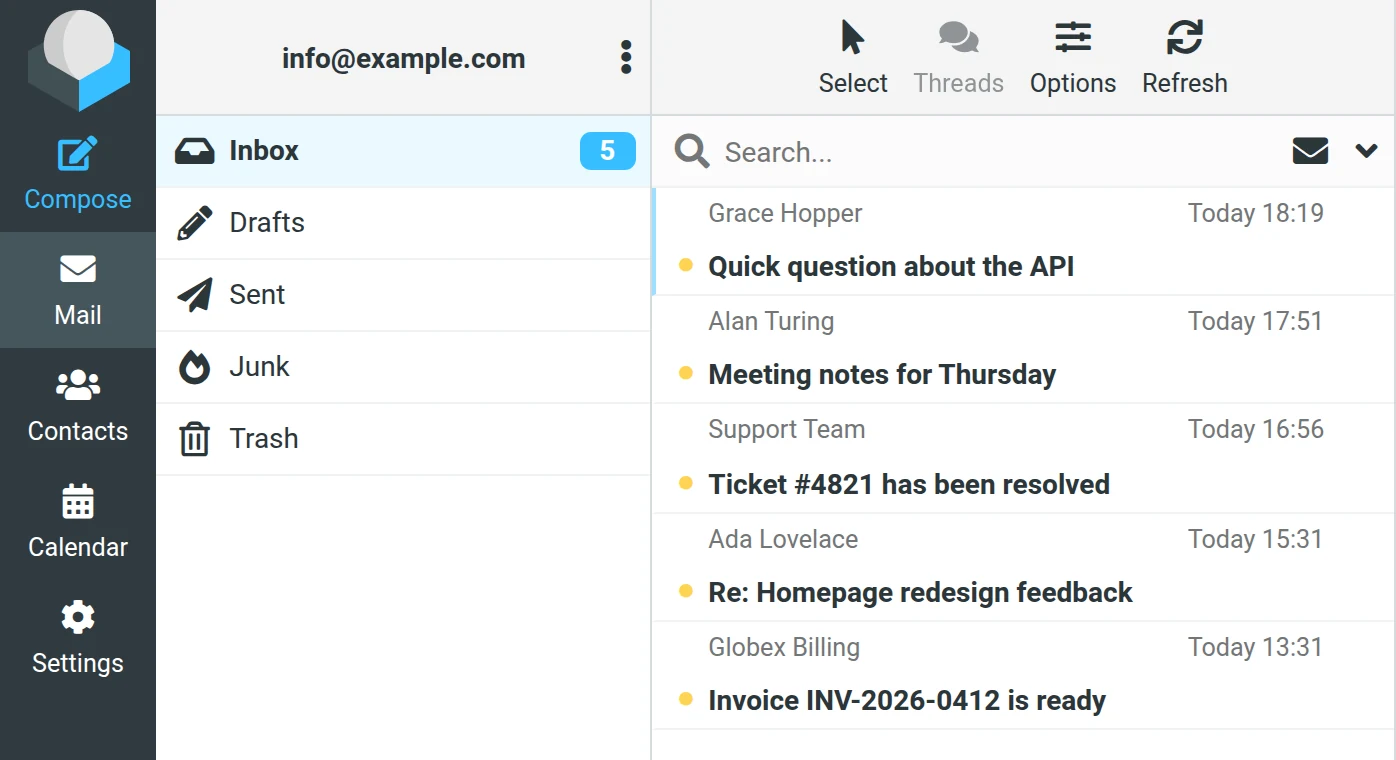
The mailbox open in webmail after a one-click login, without typing a password.
Putting It Together in a Provisioning Flow
POST /v1/ssl/domains/{id}/mail/issue once the domain's DNS points at the server.GET /v1/ssl/domains/{id}/mail every few seconds until active or failed; on failed, show the customer last_error and retry after the pause.webmail-sso on click and redirects to the returned URL immediately.Frequently Asked Questions
Is the mail certificate the same as the website certificate?
No. It is a separate certificate for the mail host name and webmail.<domain>. The website certificate stays as it is.
Can I request a webmail link in advance and send it by e-mail?
No. The link expires after 60 seconds and works once. Request it at the moment the customer clicks.
Does the webmail login change or reveal the mailbox password?
No. It logs in with the mail server's master identity; the mailbox password is not read or changed.
Which API scopes do I need?
ssl:read and ssl:write for mail certificates; email:write for webmail links; email:read and domains:read to look up IDs.
Why does the API say to try again in a few minutes?
The last attempt for that domain failed moments ago. Attempts are paused for five minutes after a failure to protect the certificate authority's rate limits.
Can I use the CLI from my laptop?
Yes, in external mode with an API key and secret, against the panel's /api/external address. Use version 1.0.552 or later.