One Click. Instant Speed.
Every WordPress site deserves to load fast. With Panelica's new Boost feature, you can accelerate any WordPress site with a single click — no configuration, no plugins, no technical knowledge required.
Boost is powered by Panelica's proprietary caching engine, purpose-built for WordPress. It works at two levels simultaneously: it caches your entire page output so returning visitors see the page instantly, and it caches internal database queries so WordPress itself runs faster on every request.
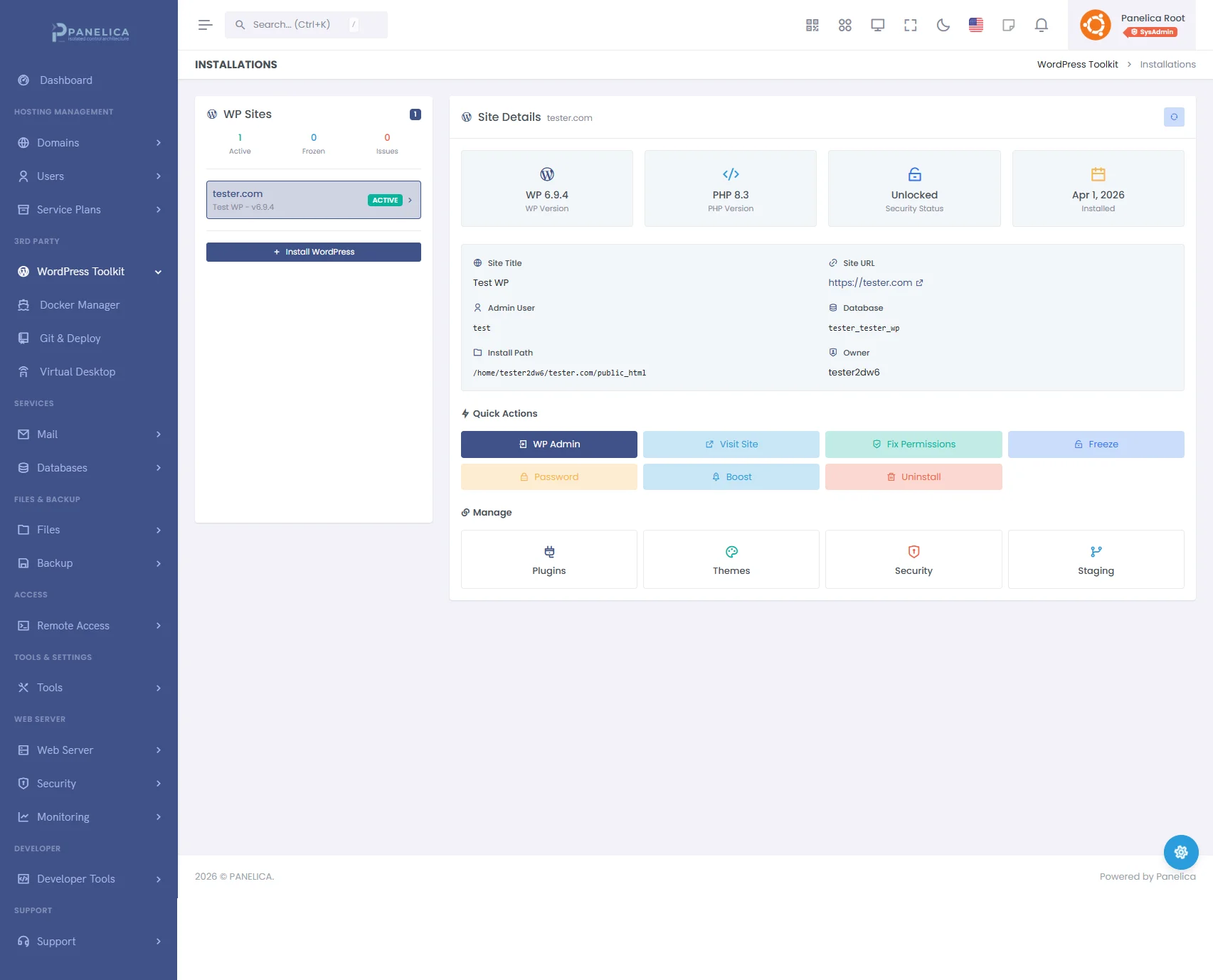
Panelica WordPress Toolkit — Complete WordPress management from your panel
How Fast Are We Talking?
We ran benchmark tests across different WordPress configurations. Here are the results:
| Scenario | Without Boost | With Boost | Improvement |
|---|---|---|---|
| Simple Blog (starter theme, 5 plugins) | 420 ms | 3 ms | 140x faster |
| Business Site (page builder, 15 plugins, contact forms) | 850 ms | 4 ms | 212x faster |
| WooCommerce Store (200 products, 20 plugins) | 1,200 ms | 4 ms | 300x faster |
| High-Traffic Portal (custom theme, 30 plugins, heavy queries) | 2,100 ms | 5 ms | 420x faster |
Benchmarks measured on a standard Panelica server (8 cores, 32 GB RAM). Times represent server response time (TTFB) for anonymous visitors.
Smart Enough to Know What Not to Cache
Boost automatically detects dynamic pages and skips them. Logged-in users always see fresh content. Admin pages, login screens, and API requests are never cached. If you run WooCommerce, cart, checkout, and account pages stay fully dynamic — so your store works perfectly.
When you publish a new post, update a page, change your theme, or modify a menu, Boost automatically clears the relevant cache. Your visitors always see the latest version of your site.
Full Visibility from Your Dashboard
The WordPress Toolkit shows you everything about your cache in real time:
- Cached Pages — See how many pages are being served from cache
- Object Keys — Monitor how many database queries are being accelerated
- Memory Usage — Track how much memory the cache is using
- TTL Control — Adjust how long pages stay cached (5 minutes to 24 hours)
- Manual Flush — Clear all cache instantly when needed
How to Enable Boost
Open the WordPress Toolkit, select any site, and click the Boost button. That is it. The cache engine activates immediately and your site starts serving pages at full speed. To disable it, click the same button again — all cache files and data are cleaned up automatically.
Works with Every WordPress Site
Boost is compatible with virtually every WordPress theme and plugin. It works alongside popular page builders like Elementor and Divi, SEO plugins like Yoast and Rank Math, and e-commerce platforms like WooCommerce. No conflicts, no configuration needed.
No Third-Party Plugins Required
Unlike other hosting panels that rely on WordPress caching plugins like W3 Total Cache or WP Super Cache, Panelica's Boost works at the server level. It intercepts requests before WordPress even loads, which is why it can deliver pages in under 5 milliseconds. There is nothing to install or configure inside WordPress itself.
Boost is included in every Panelica license at no extra cost. Start Starter — free and see the difference one click makes.