Subdomain Routing for Docker Containers
Every Docker container you deploy on Panelica can now be mapped to a real subdomain — fully automated. Simply go to Docker → Containers, select any running container, and click Assign Subdomain. Panelica handles everything behind the scenes:
- Automatic Nginx reverse proxy — routes traffic from the subdomain to the container port
- Free SSL via Let's Encrypt — HTTPS is provisioned automatically with ACME
- DNS record creation — if the domain uses Cloudflare, the A record is created instantly
- Zero downtime — proxy config is hot-reloaded without restarting Nginx
This means you can run any web application inside a Docker container and serve it at app.yourdomain.com within seconds — no manual Nginx configuration, no certificate juggling.
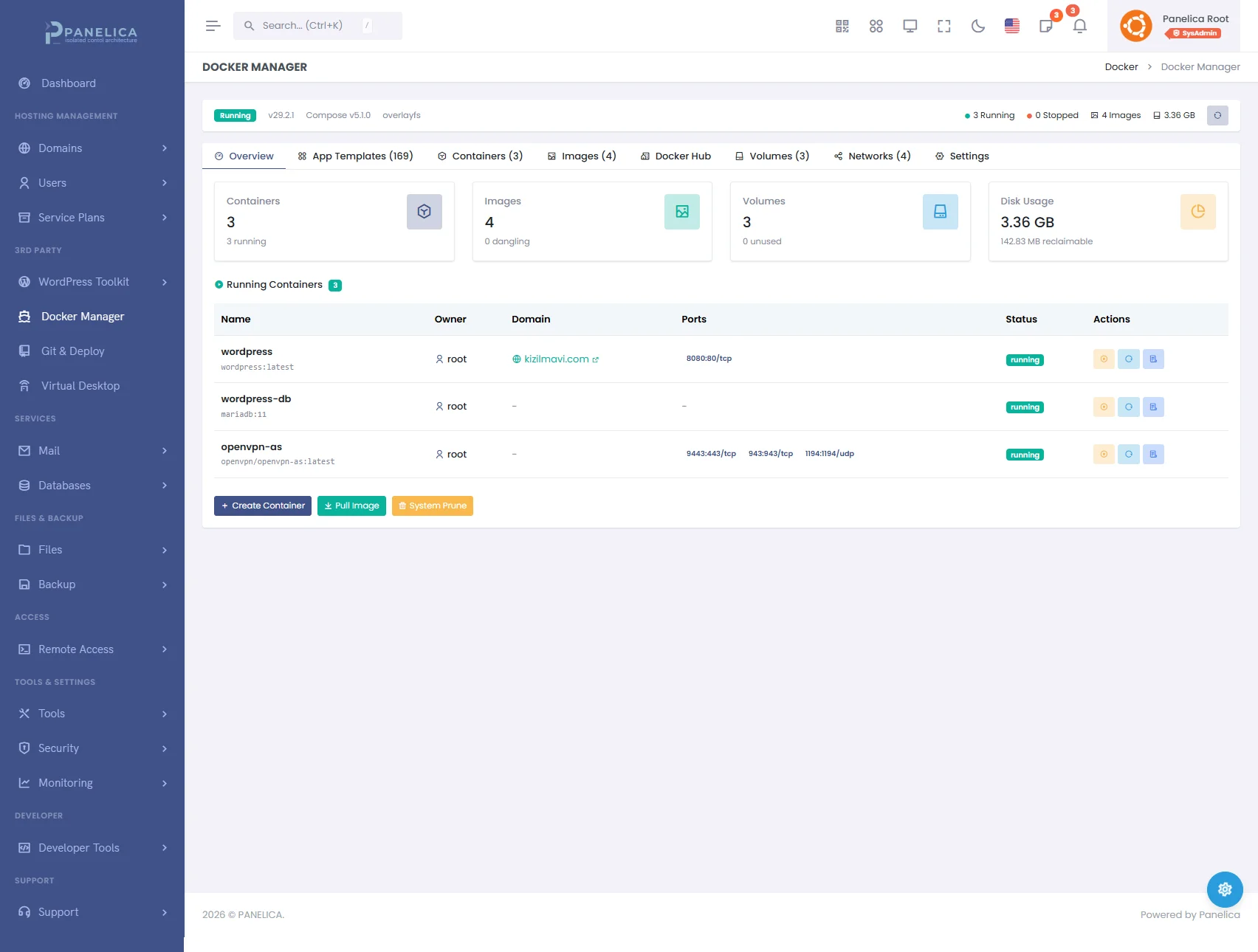
Panelica Docker Manager — Deploy and manage containers without leaving your panel
New Template: Umami Analytics
Umami is a privacy-focused, open-source web analytics platform — a lightweight alternative to Google Analytics that respects your visitors' privacy.
Why Umami?
- No cookies required — GDPR/CCPA compliant out of the box
- Lightweight tracker — under 2 KB script, zero impact on page speed
- Real-time dashboard — live visitor count, page views, referrers, devices, countries
- Self-hosted — your data stays on your server, not in a third-party cloud
- Ad-blocker bypass — customizable script name to avoid false positives
One-Click Deploy
Go to Docker → App Templates → Umami Analytics and click Deploy. Panelica provisions a PostgreSQL database, configures environment variables, and starts the dashboard on port 3800. Default login: admin / umami — change it immediately after first login.
Then assign a subdomain like analytics.yourdomain.com and you have a fully functional, SSL-secured analytics platform in under a minute.
New Template: Chatwoot
Chatwoot is an open-source customer engagement platform that brings all your communication channels into a single inbox.
Supported Channels
- Live Chat — embed a widget on your website
- Email — connect any email account
- Social Media — Facebook, Instagram, Twitter/X, WhatsApp, Telegram, Line
- API — build custom integrations
Key Features
- Canned responses — reply to common questions instantly
- Team collaboration — assign conversations, add internal notes, mention teammates
- Chatbots — automate first responses and routing
- Knowledge base — self-service help center for customers
- Reports & analytics — response times, resolution rates, agent performance
One-Click Deploy
Go to Docker → App Templates → Chatwoot and click Deploy. Panelica provisions the full stack: Rails application server, PostgreSQL with pgvector (AI-ready), Redis for caching, and a Sidekiq background worker — all in one click.
The initial setup takes about 2 minutes as database migrations run automatically. Once ready, visit the web UI to create your admin account. Assign a subdomain like support.yourdomain.com for a professional customer-facing URL with automatic SSL.
Minimum requirement: 1 GB RAM for the Chatwoot stack.
Getting Started
- Navigate to Docker → App Templates in your Panelica panel
- Click Deploy on Umami or Chatwoot
- Wait for containers to start (30 seconds for Umami, ~2 minutes for Chatwoot)
- Go to Docker → Containers, click the container, and Assign Subdomain
- Your application is now live with HTTPS at your custom subdomain
Both templates are available on all plans that include the Docker module. Deploy as many instances as your server resources allow.