Panelica Shield is the malware scanner built into the Panelica hosting panel. It checks every file in your hosting accounts against the Linux Malware Detect (LMD) signature set, Panelica's own signatures and any file hashes you add, recognises official WordPress files by their release checksums, and shows the scan live in the browser while it runs. Infected files go to a quarantine where no website can execute them, and every one of them can be restored exactly as it was. Shield is included in the panel itself — there is no separate add-on to buy — and it is available from panelica-server 1.0.551 on the beta update channel.
Why a Hosting Panel Needs Its Own Malware Scanner
On a web server, most malware does not arrive as a virus. It arrives as a PHP file: a web shell dropped into wp-content/uploads through an outdated plugin, a backdoor appended to a theme file, a mailer script hidden in an image folder. Generic antivirus engines were designed for email attachments and desktop files, and they are not very good at this. What works on hosting servers is a combination of hash signatures for known files, code-pattern signatures for known families of PHP malware, and a way to tell an official WordPress file from a modified one.
Panelica's previous scanner relied on heuristics, and when we measured it against real samples it missed too much. Shield replaces it completely with a signature engine designed for exactly this job. It does not touch ClamAV, which keeps running for mail as before.
What Shield Checks Every File Against
- LMD signatures — the Linux Malware Detect set maintained by R-fx Networks, the de facto standard for PHP malware on shared hosting. Shield downloads it a few minutes after the panel starts, checks the published SHA-256 before using it, refuses an incomplete pack, and looks for updates every six hours.
- Panelica signatures — shipped inside the panel binary and updated with every panelica-server release, so a server that cannot reach the LMD download servers is still covered.
- Your signatures — the MD5 or SHA-256 of any file you know to be malicious. Shield reports every file with exactly that content.
- WordPress release checksums — official WordPress core and plugin files are recognised as known good and skipped. A core file outside
wp-contentthat differs from the official file of the installed version is reported as a modified core file, so you can compare it with the original.
Under the hood, the engine runs four kinds of rules: MD5 hashes, SHA-256 hashes, code patterns and combined rules. The Signatures tab shows how many of each are loaded and when the LMD set was last checked.
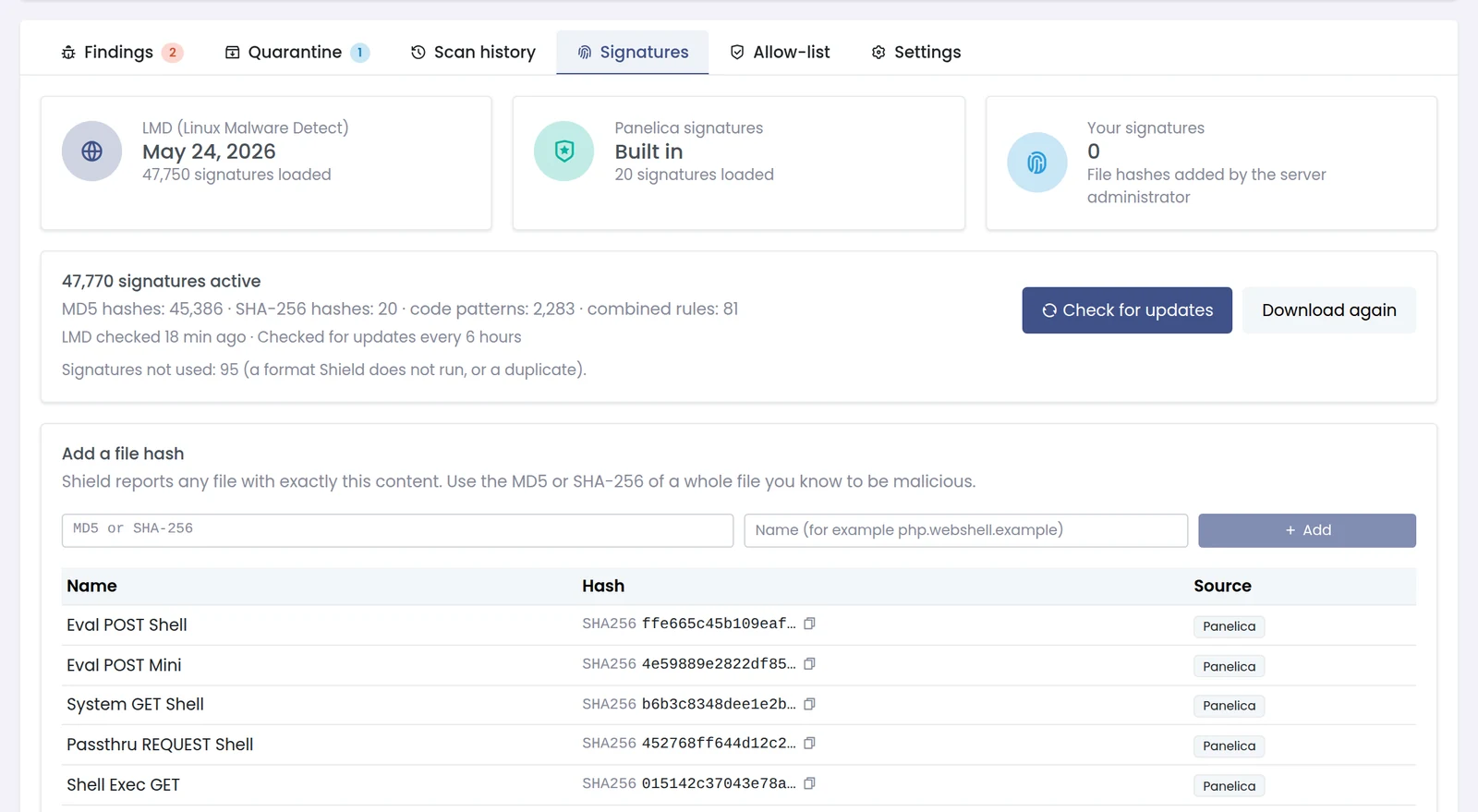
The Signatures tab: LMD, Panelica's built-in signatures and your own hashes, with the engine breakdown and the last update check.
Three Ways to Scan
| Scan | What it reads | When to use it |
|---|---|---|
| Quick scan | The website folders of every account: public_html and subdomains | The fastest way to catch web shells and injected code |
| Full scan | Every file in the account home folders; domain logs, SSL keys and session files are skipped | After an incident, or as the nightly scan |
| Custom scan | One folder — inside an account, or for the root administrator under /home, /var/www, /srv, /opt or /tmp | Checking one site or one suspicious directory |
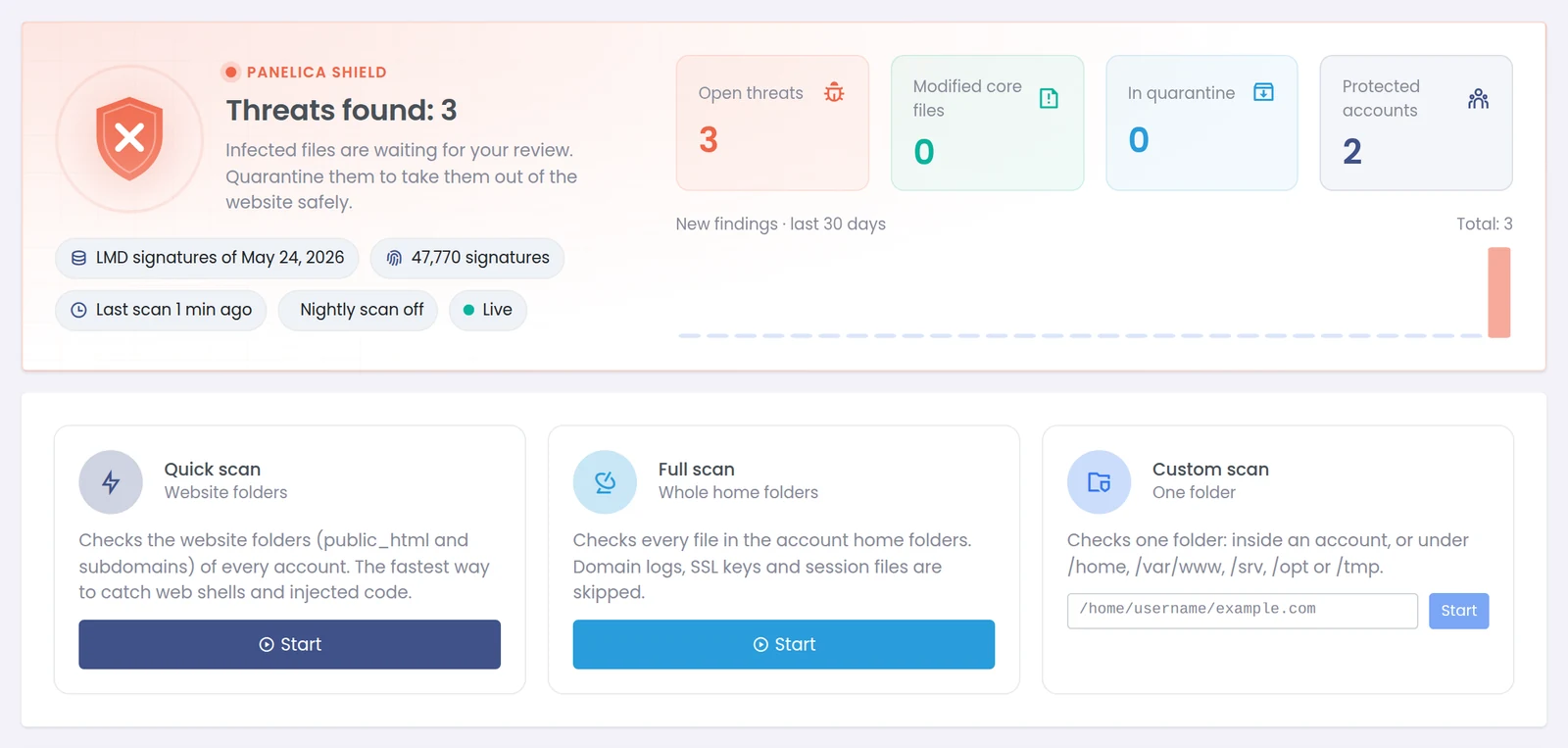
The Shield page: protection status at the top, the three scan types below.
Watching a Scan Live
A scan does not run behind a spinner. As soon as it starts, the page switches to a live view fed over a WebSocket connection: files scanned, data read, read speed, folders, files skipped as known good, unreadable files and findings, plus the path being read right now. Findings appear in a live feed the moment they are found, not when the scan ends. You can stop a scan at any time; findings found so far are kept.
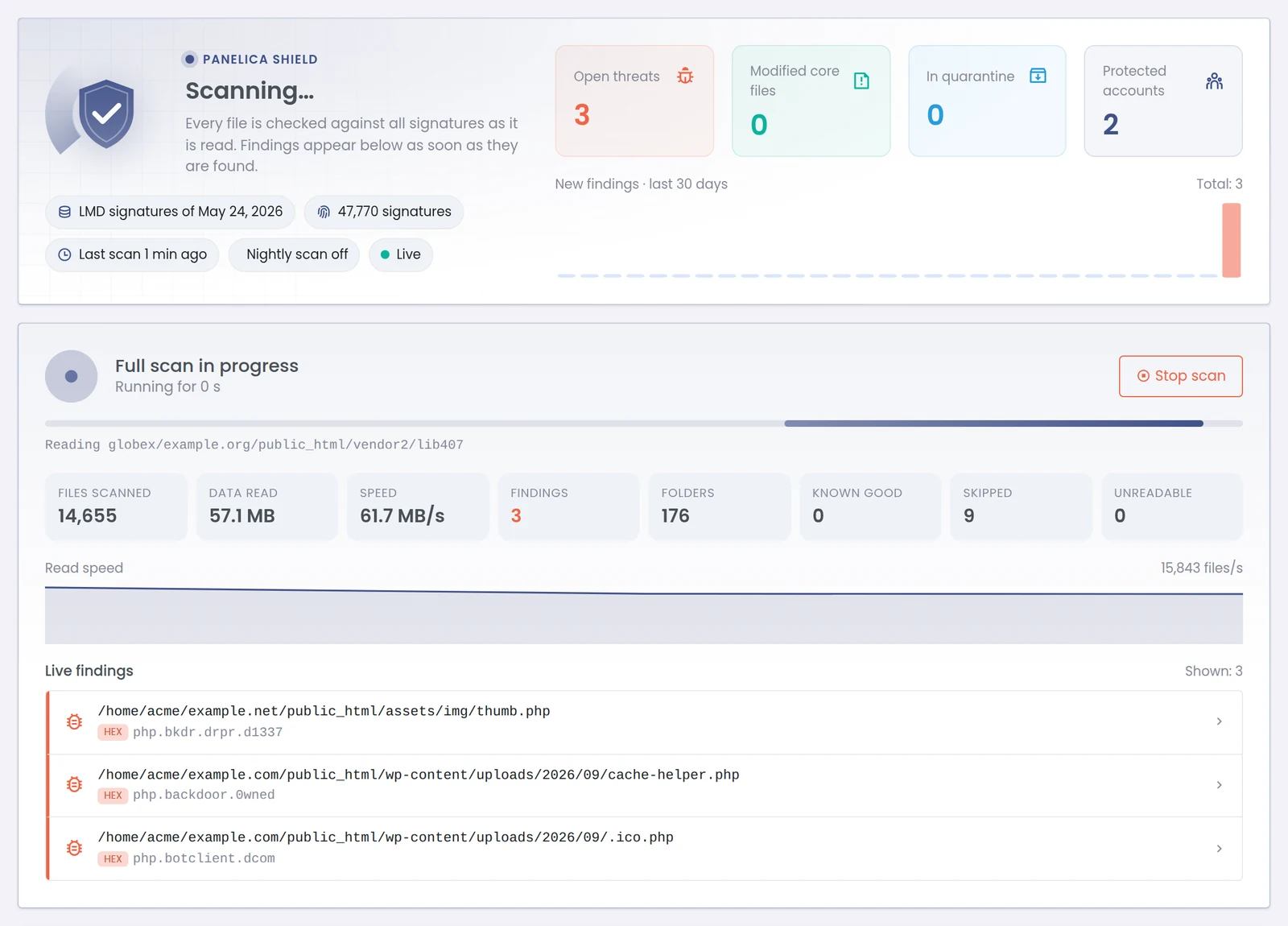
A full scan in progress: counters update in real time and findings appear in the live feed as they are found.
When the scan finishes, the status card summarises what needs attention: open threats, modified core files, files in quarantine, the number of protected accounts, and a 30-day trend of new findings.
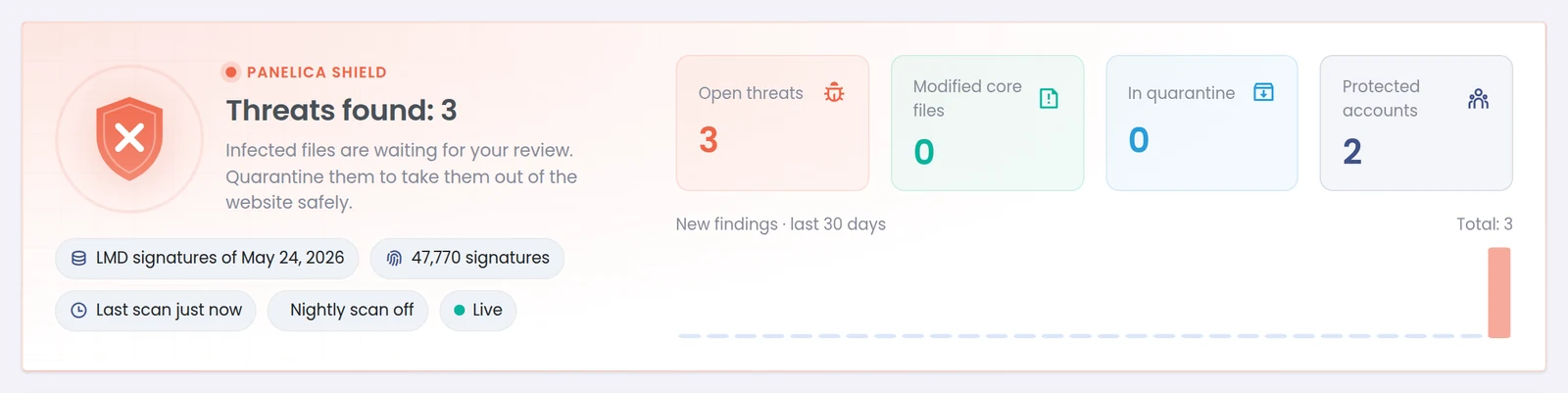
After a scan on our test server with three planted samples: three open threats, nothing modified, nothing quarantined yet.
Reviewing a Finding
The Findings tab lists every finding with its file path, the signature that matched, the source (LMD, Panelica, custom or integrity check), size, when it was last seen and its status. Filters separate open findings from quarantined, deleted, resolved and files marked as safe, and a search box finds a path or signature name.
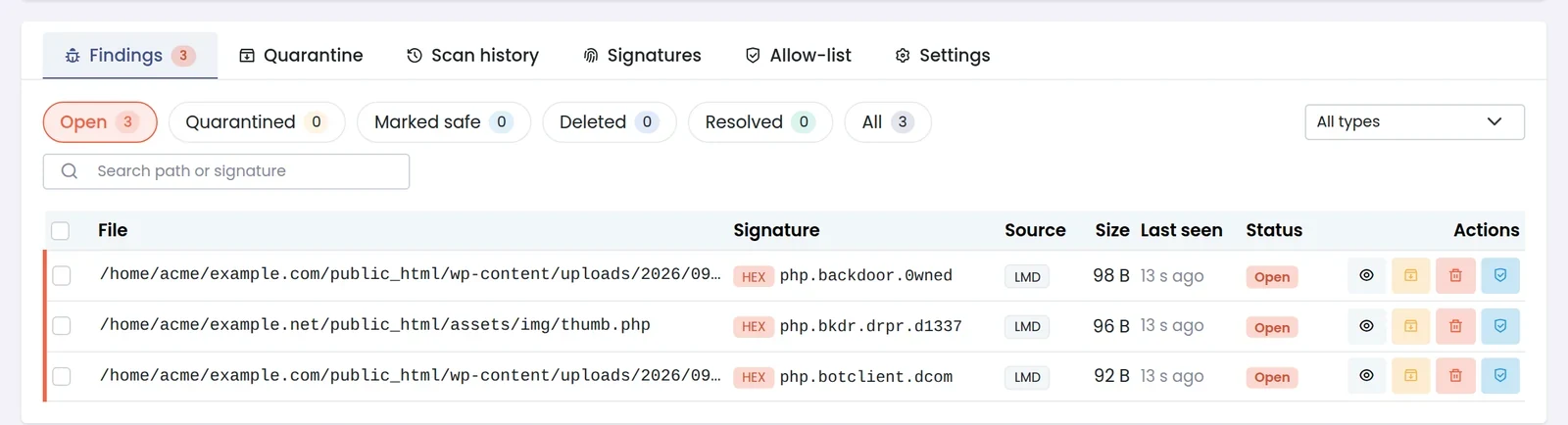
Each finding shows the matching signature and its source. Actions: view, quarantine, delete or mark as safe.
Opening a finding shows what you need to decide without logging in over SSH: the owner (UID:GID), permissions, modification time, first and last time Shield saw it, SHA-256 and MD5 hashes, every signature that matched, and the beginning of the file with the matched lines highlighted. Findings that matched by hash have no excerpt, because the whole file content is the evidence.
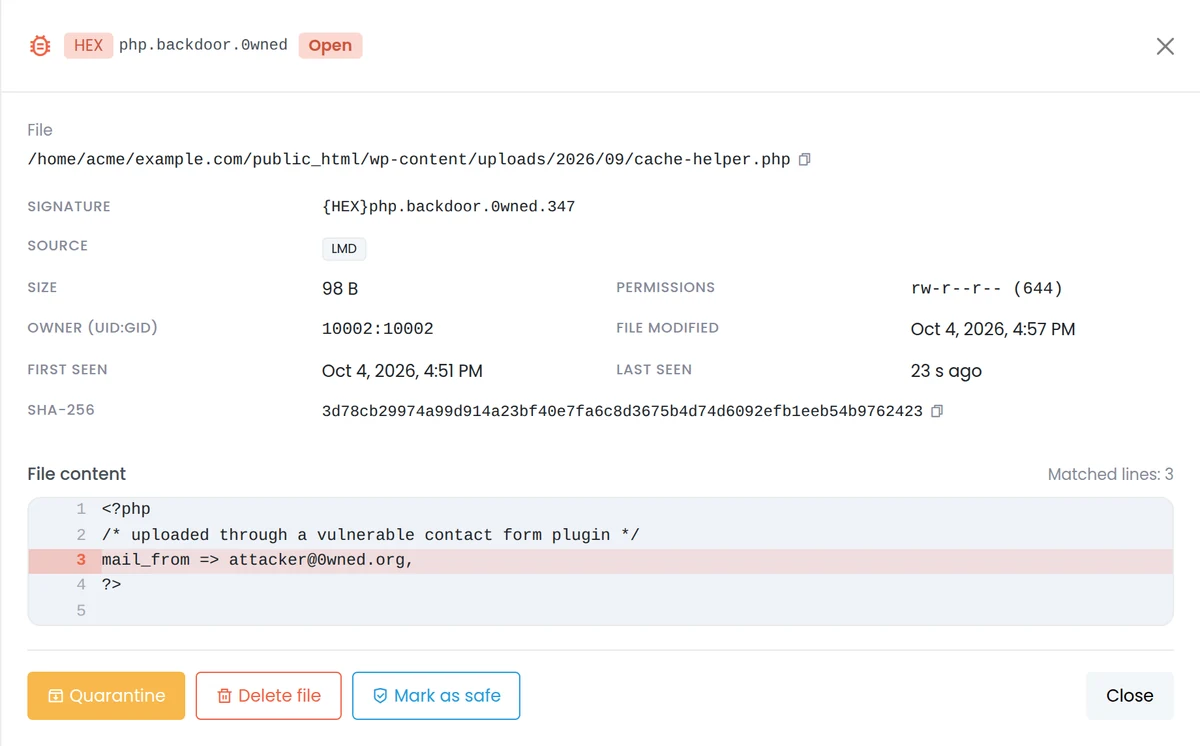
The finding detail: file metadata, hashes and the matched lines highlighted in the content.
Quarantine That You Can Undo
Quarantining a file moves it to a place where no website can run it and records where it came from. If it turns out to be a false positive, Restore puts it back at its original path with its original owner and permissions; Restore and mark as safe does the same and tells Shield not to report that exact content again. Deleting a quarantined copy is a separate, explicit step.

Quarantined files keep their original location, so a restore is exact.
Marking a file as safe works by content, not by path: Shield stores the file's SHA-256 and skips that exact content for that account, or for every account if you choose so. If the file changes later, it is checked again.
Settings That Stay Conservative by Default
Every setting that could move a customer's file is off until you turn it on:
| Setting | Default | What it does |
|---|---|---|
| Nightly scan | Off (starts at 03:00 server time when enabled) | A full scan of every account once a day |
| Quarantine threats automatically | Off | Moves signature matches to quarantine as soon as they are found; modified core files are never moved automatically |
| Notify on new threats | On | A panel notification when a scan finds new threats |
| Use LMD signatures | On | Downloads and updates the LMD set; Panelica's signatures and yours are always used |
| Maximum size to read per file | 50 MB | Code patterns are searched up to this size; larger files are still matched by hash |
| Parallel readers | 4 | More is faster but puts more load on the disk (1 to 16) |
| Excluded paths | None | A name such as node_modules, or a path relative to each home folder |
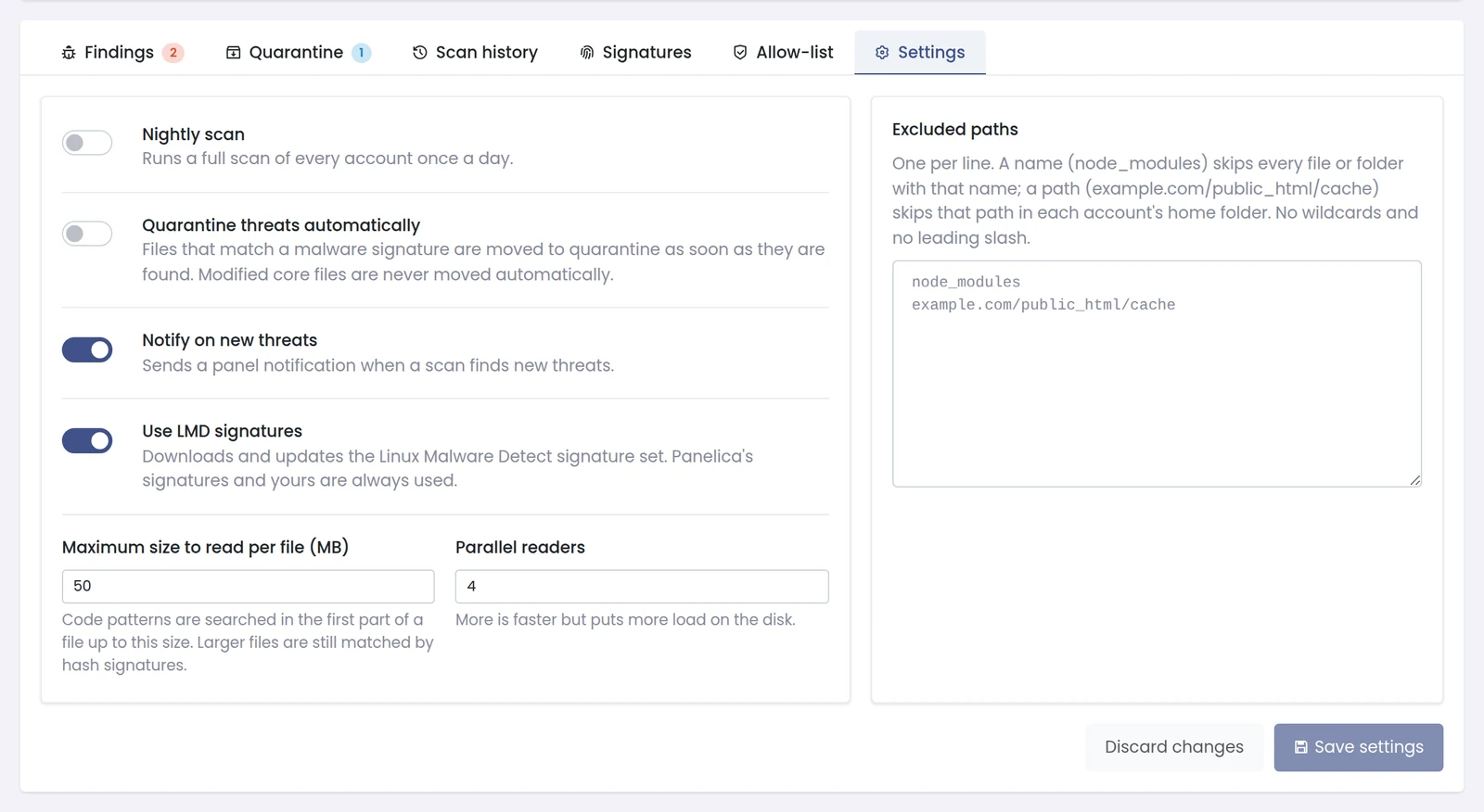
Shield settings. Automatic quarantine shows a warning: a false positive takes the file out of the website until you restore it.
Who Can Use It
Out of the box, Shield is available to the root administrator. Access for administrators or resellers is granted through the panel's permission settings, and the scope is enforced on the server side: someone who can see only some accounts sees only those accounts' findings, folders and totals, even while a server-wide scan is running. A reseller watching the live view does not see which folder of another customer is being read.
Getting Started
Frequently Asked Questions
Is Panelica Shield an extra paid module?
No. It is part of the panel and does not need a separate license or add-on purchase.
Does Shield replace ClamAV?
No. ClamAV keeps scanning mail as before. Shield is a separate engine for website files, built around LMD signatures and WordPress checksums.
Can Shield delete a customer's file by mistake?
Not unless you allow it. Automatic quarantine is off by default, quarantine is reversible with the original owner and permissions, and permanent deletion is always a separate confirmation.
How often are the signatures updated?
Shield checks the LMD set for updates every six hours and can be told to check or re-download immediately from the Signatures tab.
What happens if the panel restarts during a scan?
The scan is marked as interrupted in the scan history, with the findings found up to that point kept. Start it again when the panel is back.
Will a large media library slow the scan down?
Code patterns are searched only in the first 50 MB of a file by default, and official WordPress files are skipped by checksum. You can also exclude folders such as caches or node_modules.