Docker, a VPS from Panelica's VPS Manager and a virtual machine all promise "your own space" on a server. The difference that matters most is simple: Docker containers and Panelica VPS share the server's Linux kernel, a virtual machine has its own. That is why "full root" in a Panelica VPS always comes with three limits right beside it: Linux only, no custom kernel, no kernel modules. This post explains the difference in plain words, compares two real workloads, an AI agent and a customer who wants root, and lists which actions stay with the host administrator.
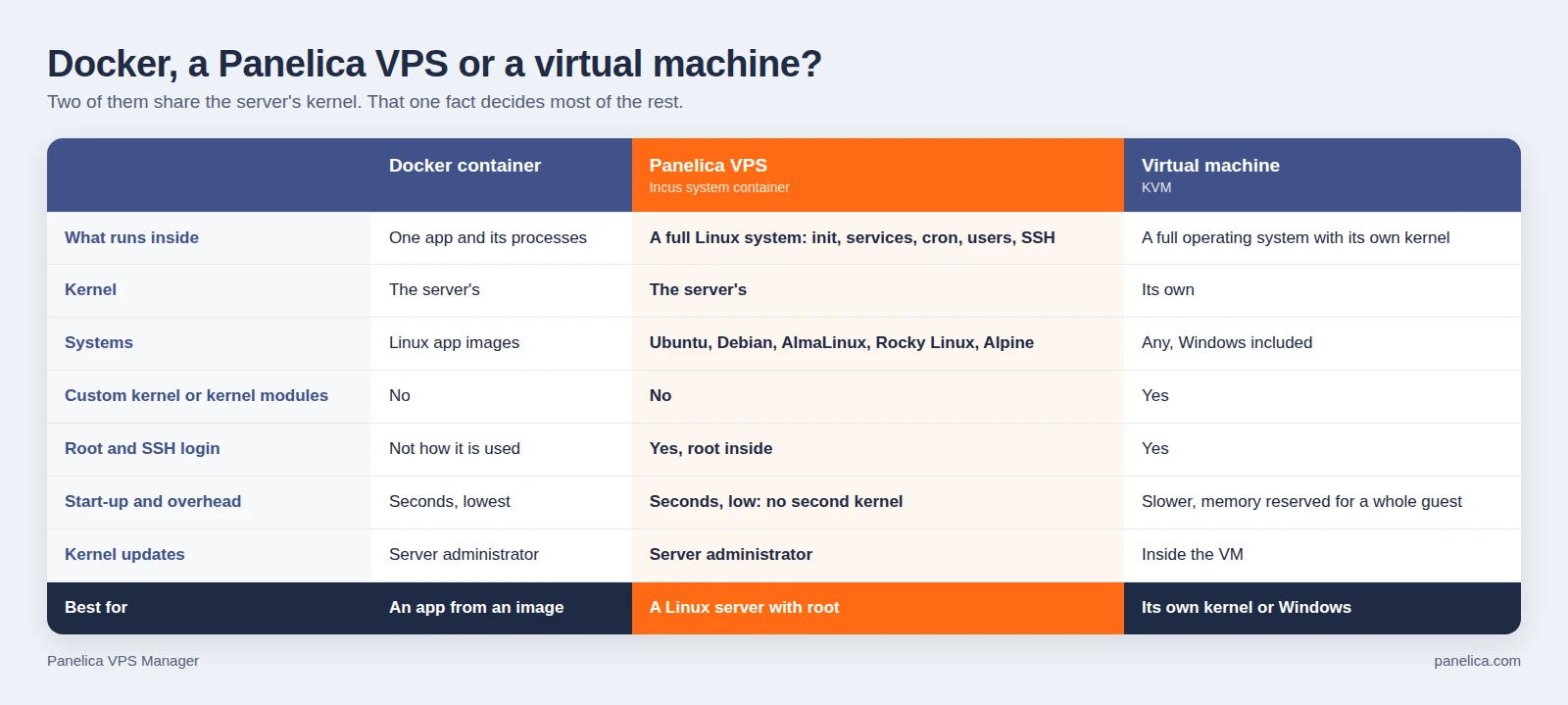
Docker, a Panelica VPS and a virtual machine side by side.
The three, in one sentence each
- A Docker container packages one application with what it needs. You run it from an image, and when you update it you replace it with a new image. Nobody logs in to it like a server.
- A Panelica VPS is an Incus system container: a complete Linux system with its own init, services, cron jobs, users and SSH, that you log in to and keep like a small server. It uses the server's kernel.
- A virtual machine pretends to be a whole computer. It boots its own kernel, so it can run any operating system, Windows included, and load any kernel module it likes. It costs more memory and starts slower.
What "full root" means in a Panelica VPS, and what it does not
Root inside a VPS is real root for everything that runs on top of the kernel: install packages, run services and databases, add users, edit any file, set up cron jobs, open its own ports. On the server, the same root is an ordinary unprivileged user in an ID range of its own, so it cannot touch the server or the other VPS.
What root inside a VPS cannot do is anything that belongs to the kernel itself:
- run Windows or any operating system other than Linux;
- boot a different or custom kernel;
- load kernel modules;
- decide when the kernel is updated or the server reboots.
If a workload needs one of these, it needs a virtual machine. If it does not, a VPS gives you a server of its own at a fraction of the cost of a virtual machine.
Workload 1: your own AI agent that runs 24/7
You have an agent, a bot or a queue worker. It is a Linux program, it should run day and night, and it should never be able to touch your websites or the panel.
A Panelica VPS fits well, because the agent needs exactly what a VPS gives:
- a Linux system with systemd, so the agent runs as a service and restarts on its own after a crash;
- a start-up setting of "Always start", so it comes back after the server reboots;
- hard limits for CPU, memory and processes, so a runaway agent hits its own ceiling and not your sites;
- a network that cannot reach the panel's internal services, the other VPS, private networks or the cloud metadata address, and no outgoing mail on port 25 unless you allow it;
- a dashboard reachable through a forwarded port or a domain linked to the VPS, with the panel's SSL certificate.
Choose a virtual machine instead if the agent needs its own kernel, a kernel module, a non-Linux operating system, or hardware passed through to it. VPS Manager gives a VPS none of these.
Who does what: here you are both the customer and the host administrator, so the split is easy. You run the agent inside the VPS; you also keep the server's kernel updated.
Workload 2: a customer who asks for root
A customer does not want shared hosting. They want root, their own services and maybe their own IP address: a web app with its own database and workers, a bot, a game server, a staging copy of their site.
A Panelica VPS fits well when the customer needs a Linux server and is happy that the kernel and the hardware are yours. They get root inside, SSH and SFTP, a browser terminal, a serial console, a file manager, port forwards and their own domains linked to their VPS, all within the limits of their hosting plan.
Sell a virtual machine instead when the customer needs Windows, a kernel of their own, kernel modules (some VPN and security tools load their own), or wants to choose when their kernel is updated and their server reboots. A VPS cannot give them that, and it is better to say so before the sale than after.
Who does what: the customer owns everything inside the VPS. The server, its kernel and the permissions that widen what a VPS can reach stay with you.
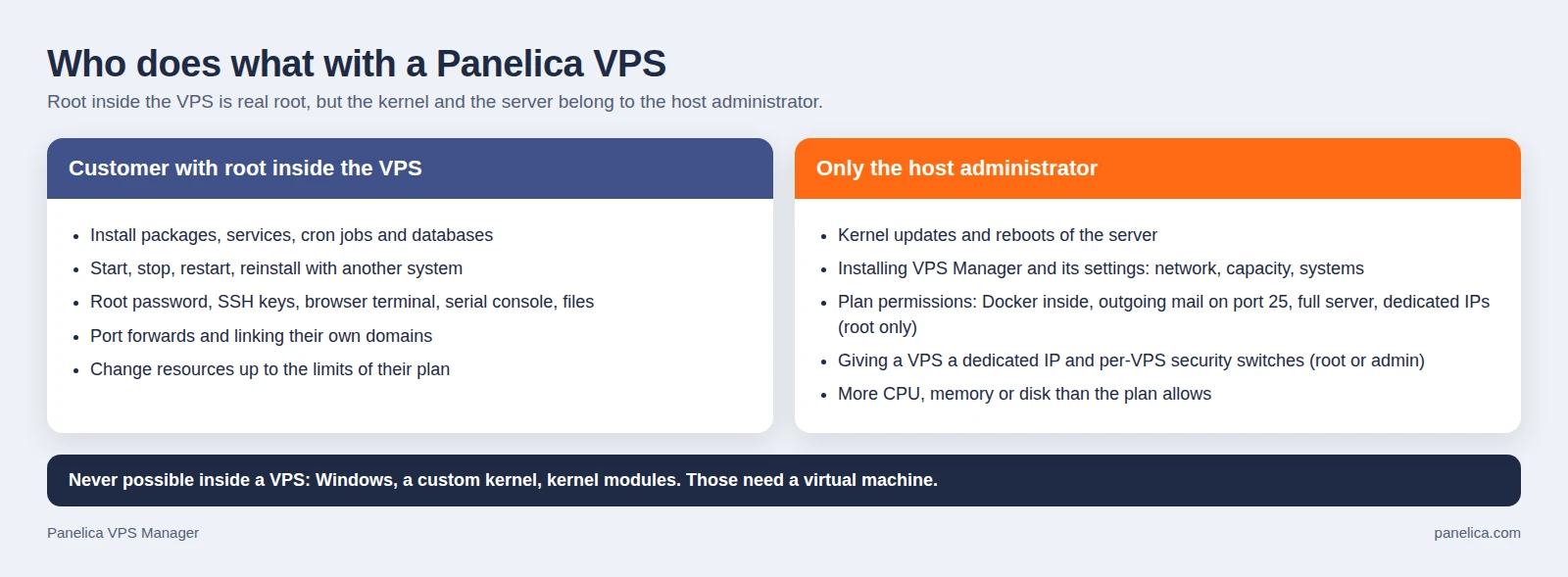
Root inside the VPS is real root; the kernel and the server are the host administrator's.
What only the host administrator can do
These are the actions a customer with root inside a VPS cannot take, as the panel enforces them today:
| Action | Who |
|---|---|
| Kernel updates and server reboots | The server administrator, outside the panel |
| Installing VPS Manager and its settings: internal network, DNS servers, port range, memory kept for the server, disk overcommit, which systems customers may choose | Root only |
| Plan permissions: containers (Docker) inside the VPS, outgoing mail on port 25, "full server" for a hosting panel inside, the number of dedicated IPs | Root only |
| Giving a VPS a dedicated IP address | Root or an admin |
| Per-VPS security switches: port 25, containers inside, private network between the owner's VPS | Root or an admin, within what the plan allows |
| More CPU, memory or disk than the plan allows | Whoever manages the plan |
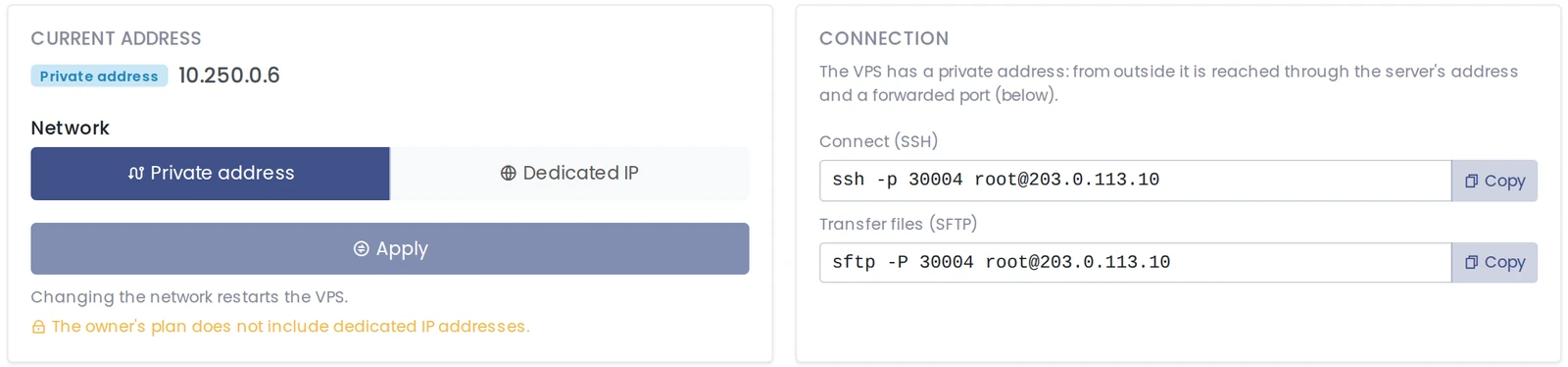
The panel shows these boundaries instead of hiding them. A customer whose plan has no dedicated IPs sees why the switch is locked:
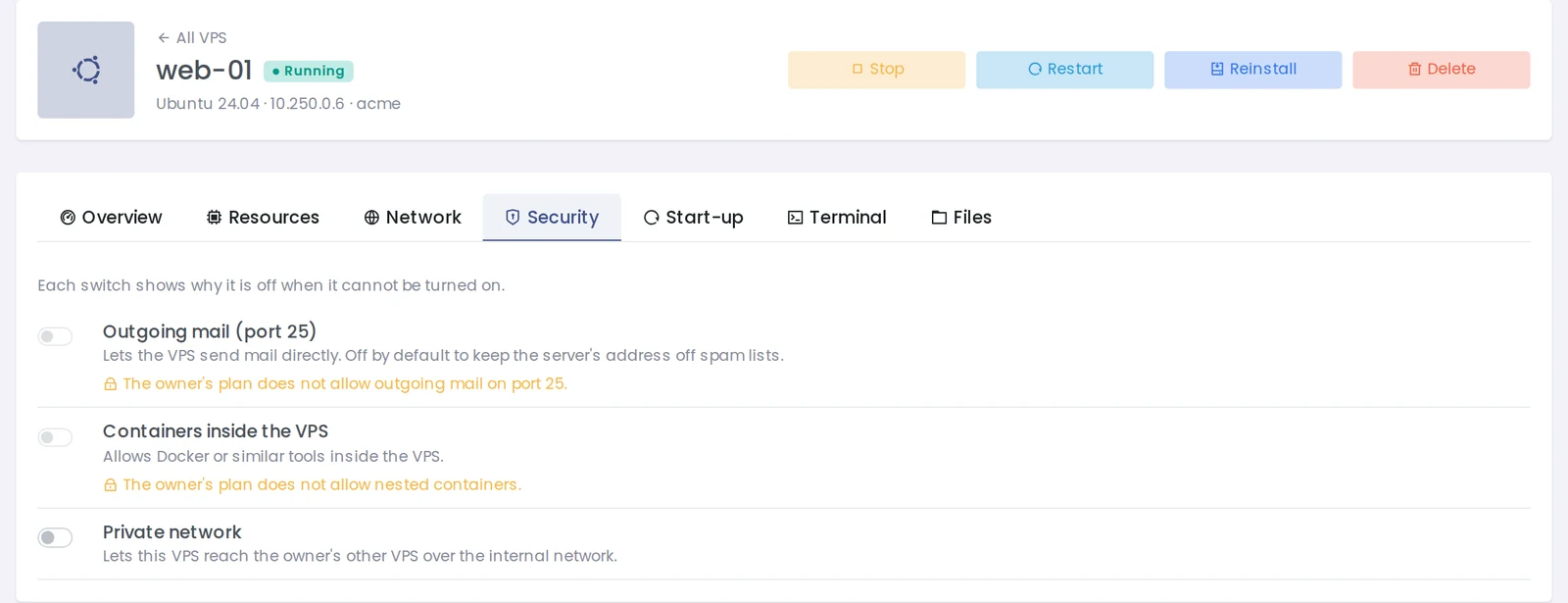
And on the Security tab, a switch the plan does not allow says so under it:
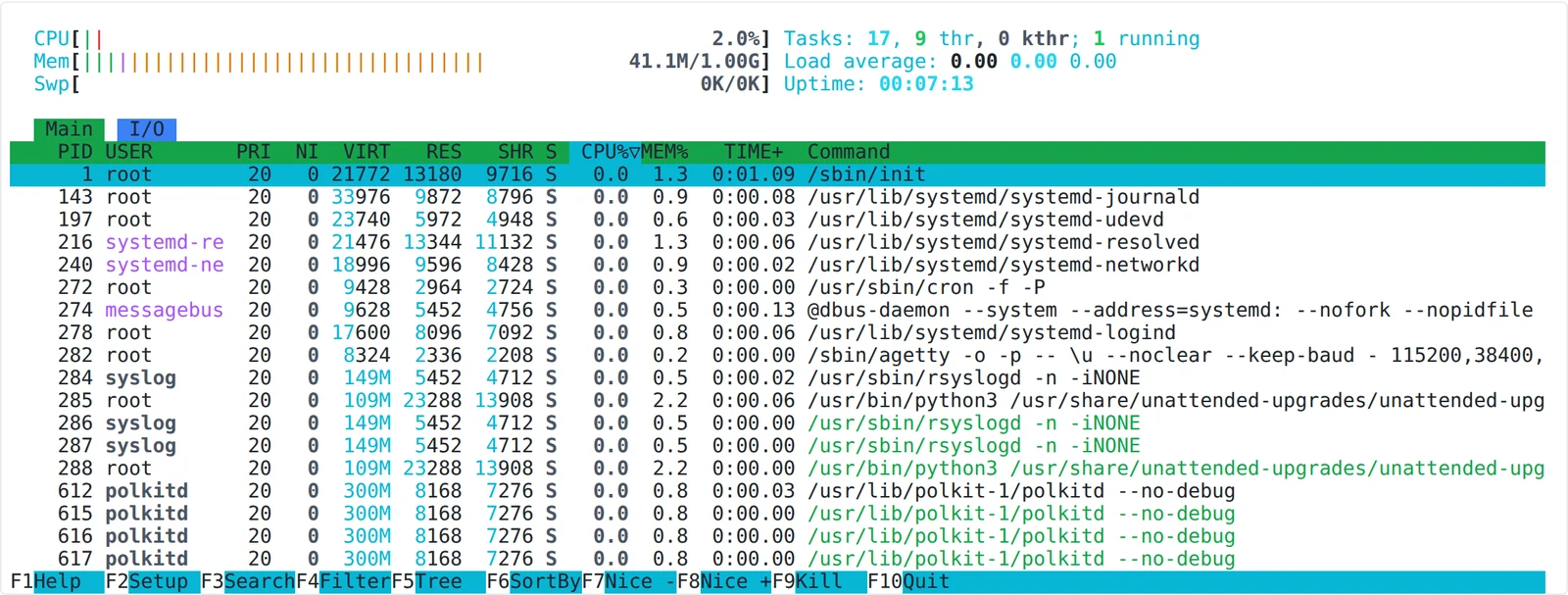
Inside, the customer sees the resources they were given, not the whole server. htop in a 1 GB VPS shows 1 GB and one CPU:
A quick checklist
- Is it one application you can run from an image, with no login? Docker.
- Is it a Linux server you want to log in to, with root, services and cron, and the kernel can be the server's? Panelica VPS.
- Does it need Windows, its own kernel, kernel modules or its own reboot schedule? Virtual machine.
- Are you selling it? Keep the server's kernel updated and plan a reboot window, because every VPS on the server runs on that kernel. When the server restarts, VPS shut down cleanly and come back according to their start-up setting.
Related reading
- Panelica VPS Manager, Step by Step: every screen, from setup to SSH, port forwards and linked domains.
- Panelica VPS Manager: Run Full Linux Servers Next to Your Websites: the overview.
- Docker App Hosting for Resellers: What You Sell, and Why No One Gets Root: the Docker side of the same question.