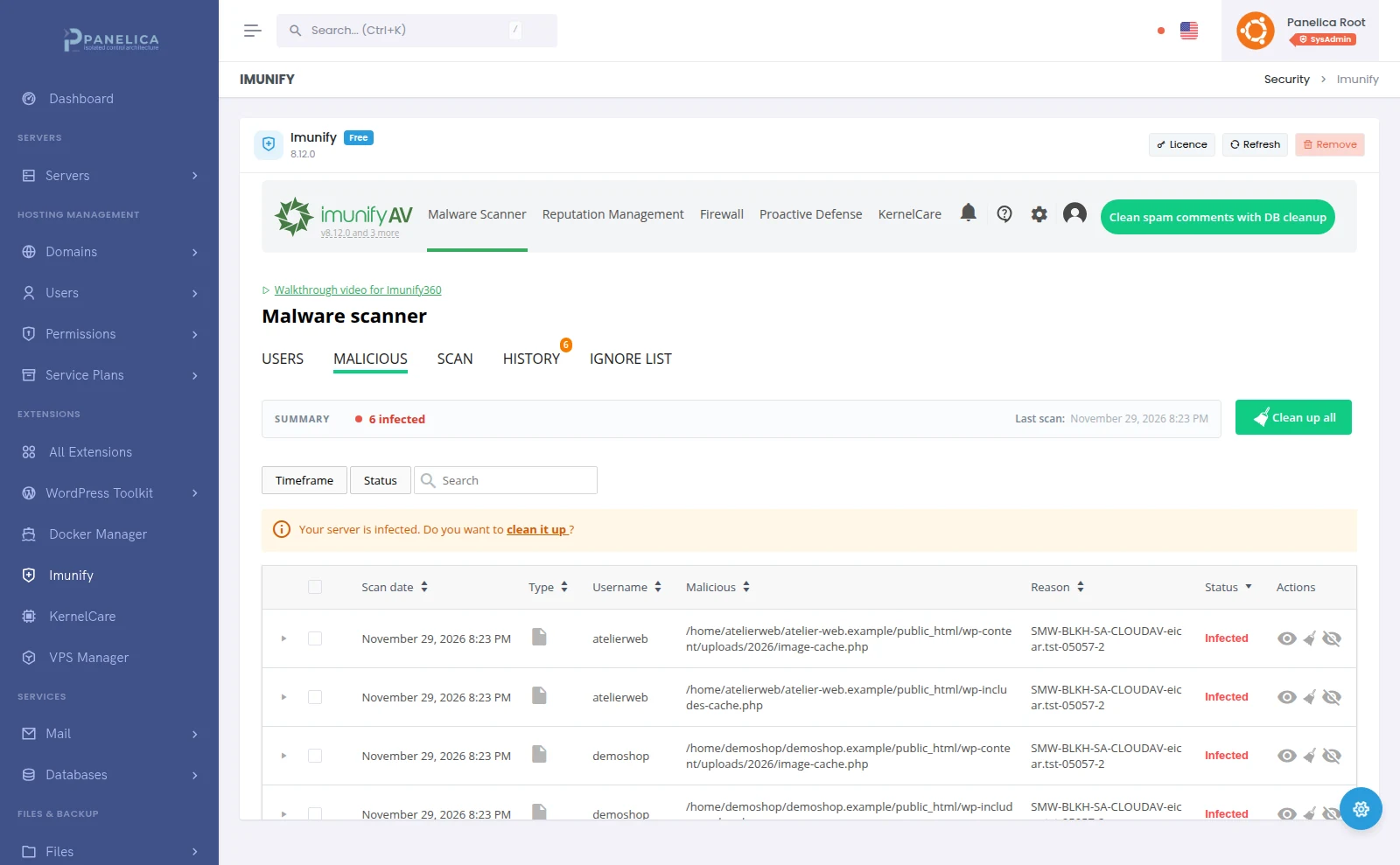
Imunify's malware scanner, running inside Panelica. Nothing was bolted on: it was installed from the Extensions page in two clicks.
Panelica is now extensible. The panel ships with an Extensions page, two security integrations you can add to it today (Imunify and KernelCare), and a documented contract so that anyone can write a new one. If your company needs an Akamai DNS module, a connector to your billing system or a nightly export nobody else wants, you write it, sign it with your own key and install it on your own servers. There is no store to be admitted to and no review queue to wait in.
This post is about both halves: the security extensions that are useful on day one, and the system underneath that lets the catalogue grow without us.
Security First: Keeping Hosting Servers Healthy
A hosting server is attacked continuously and rarely dramatically. A WordPress plugin with a known hole, an uploaded PHP file in a directory that should only hold images, a kernel CVE published on a Tuesday. None of these is interesting on its own; together they are how servers are lost.
Panelica's answer has three layers, and the extensions are the newest of them.
1. Isolation, built in and always on
Every account on a Panelica server is fenced off with standard Linux primitives rather than a paid add-on: cgroups v2 for CPU, memory, I/O and process limits; PID and mount namespaces that give each account its own view of the filesystem; chroot for SSH and SFTP; a PHP-FPM pool per user per PHP version with its own open_basedir and disabled functions; and plain Unix ownership underneath it all. A compromised site is one account's problem, not the server's.
2. Panelica Shield, the scanner that comes with the panel
Shield is ours and needs no licence. It scans with ClamAV plus signature sets of our own, quarantines what it finds, and lets an operator restore a file, mark it safe for one account or mark the same content safe everywhere on the server. For most servers Shield is enough.
3. Imunify and KernelCare, when you want more
For operators who want a commercial layer on top, Imunify is the alternative to Shield and KernelCare covers the kernel. Both are CloudLinux products, both are optional, and both now install from the panel instead of from a shell script and a wiki page.
There is also a fourth thing worth knowing about, and it is deliberately separate: Sentinel, Panelica's AI watchman, reacts to the server's own signals rather than to files. Eight of its triggers are security ones. Imunify looks at what is on disk and what is arriving over the network; Sentinel looks at what the server is doing about it. They are different systems covering different ground, which is the point.
Imunify: Malware Scanning Without Leaving the Panel
ImunifyAV is the free malware scanner. Imunify360 adds the web application firewall, the IP firewall and proactive defence, and needs a licence key from CloudLinux. Both install from the Extensions card: choose the edition, paste the key if you have one, and the panel runs the vendor installer and writes the integration file the agent needs.
What makes it useful rather than merely present is that Imunify asks Panelica who exists. It does not guess at the server's layout: it reads the account list, each account's home and each domain's document root from the panel, and scans those. An account you create in Panelica turns up in Imunify's user list with nobody configuring anything, and every finding is attributed to the account that owns the file.
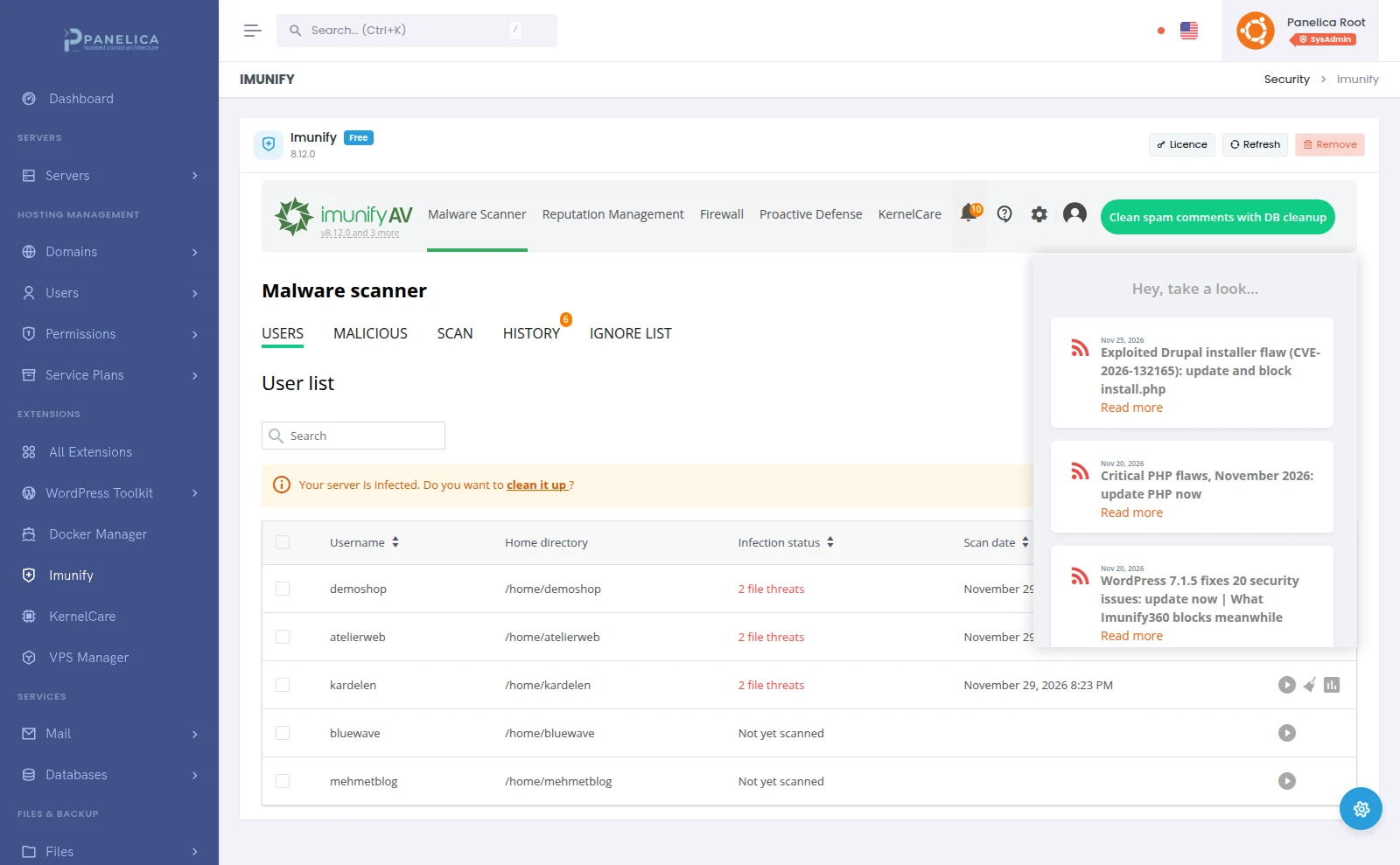
Licence, refresh and remove stay in Panelica's bar. Everything below is Imunify's own interface, signed in already.
KernelCare: Security Patches Without the Reboot
A kernel security fix normally means scheduling a reboot, and on a shared server that means telling customers their sites will be down. KernelCare, from CloudLinux's TuxCare line, applies the fix to the running kernel instead. The reboot still happens eventually, on your schedule rather than the CVE's.
Panelica's page is deliberately small: what KernelCare is, the kernel you are running, the patch level on top of it, and the licence. The patch state is reported in the agent's own words. If the agent says a patch is available but not applied, the page says exactly that and names the patch level, instead of claiming protection the server does not have.
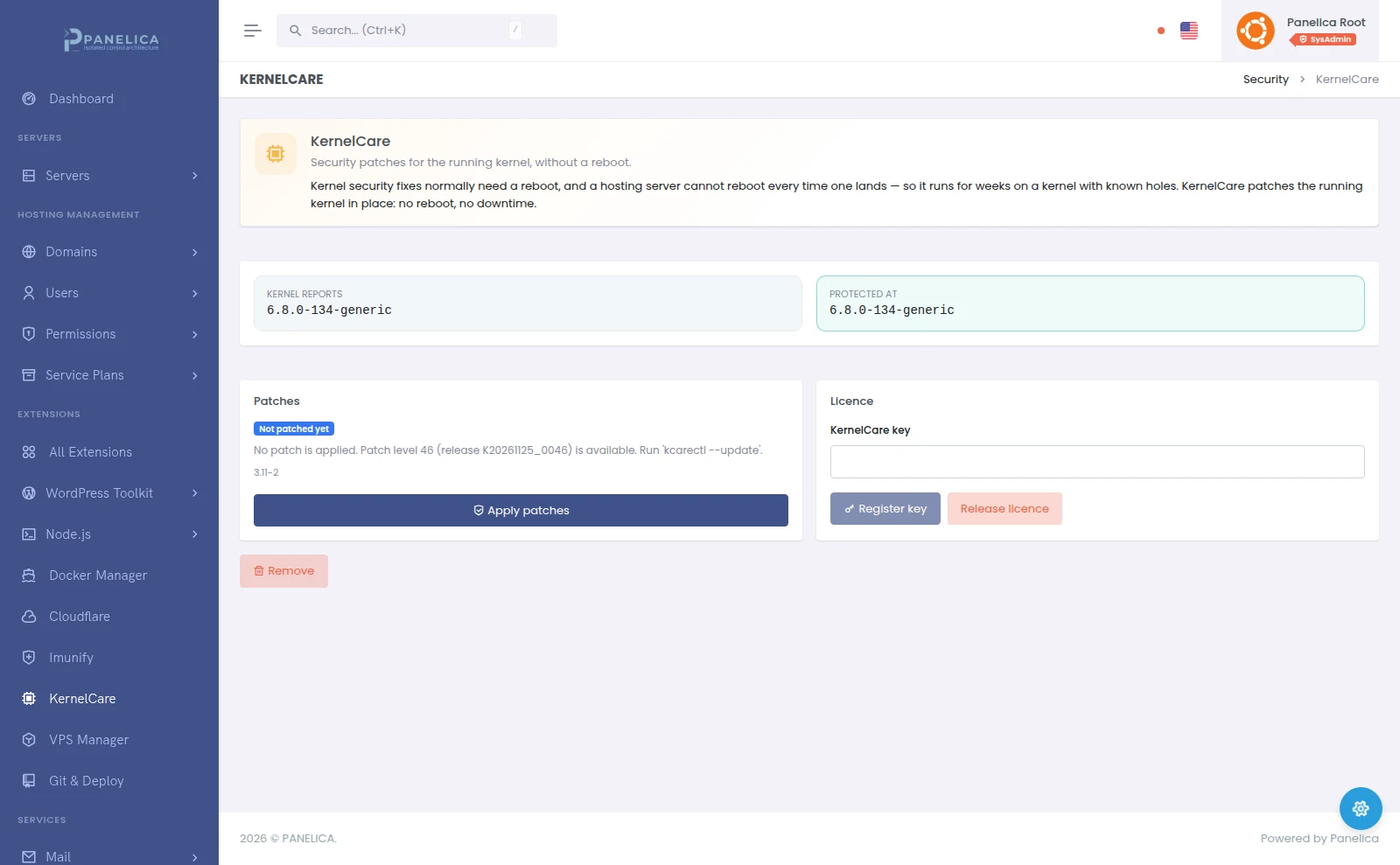
The kernel it reports and the kernel it protects, side by side, with the licence and the removal button in reach.
Write Your Own Extension
This is the part that matters beyond today's catalogue. An extension is a signed .pnlx package. Panelica verifies the signature before anything is written to disk, pins the signing key on first install, and refuses a later version signed by a different key. You install it from a file or from a URL you control.
The Developer tab is a starting point rather than a specification to read first. It carries five starter kits (HTML, Go, Node.js, Python and PHP) and each one is a working extension the moment it is unzipped, not a skeleton to repair. The HTML kit is a page and nothing else; the other four are a page plus a program of your own.
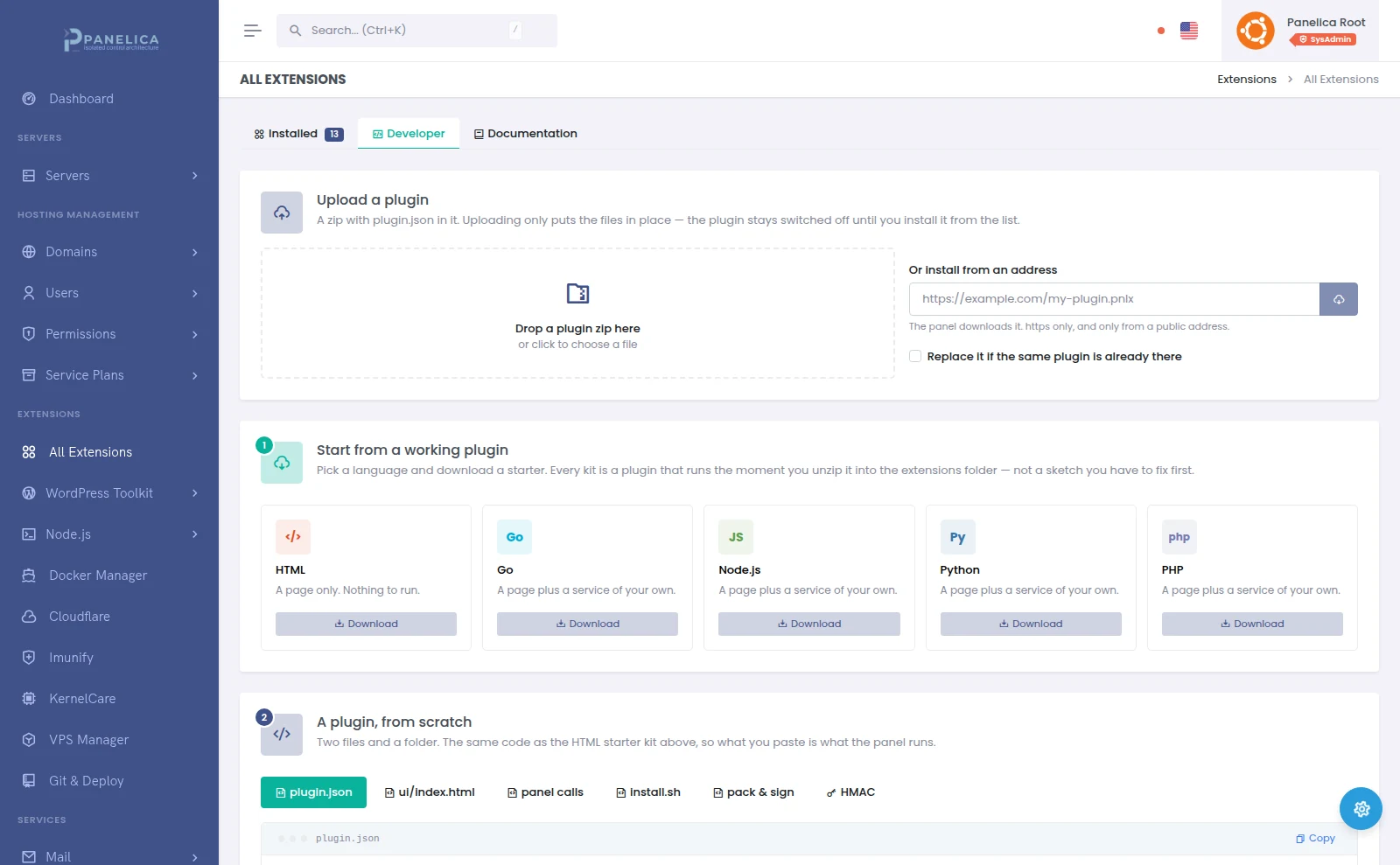
Five kits, one per language, plus the walkthrough for building one by hand: manifest, page, panel calls, install script, packing and signing.
What people will build
The useful extensions are usually the boring ones that only your company needs:
An extension can bring pages into the panel with a branch of their own in the side menu, run a long-lived program the panel supervises, do work on a clock the panel keeps, react to events the panel reports, and store settings and secrets encrypted, deleted with the extension when it is removed.
What an Extension Is Allowed to Touch
An extension declares the areas it needs and the operator approves them before installation. There are 22 areas, and they are not symmetrical on purpose:
| Kind | Count | Shape |
|---|---|---|
| Read | 18 | a GET prefix: "list domains", "read DNS records" |
| Write | 4 | a single named POST: scheduled jobs, DNS, notifications, webhooks |
No scope grants PUT, PATCH or DELETE, and no write scope is a prefix. An extension cannot ask for "write access to domains", because that permission does not exist to be asked for.
If the extension runs a program, that program gets its own system account with no login shell and no home directory, its own systemd unit inside a dedicated slice, and the memory, CPU and network limits the operator approved. The panel reconciles those processes with systemd every time it starts, so a restored backup or a hand-stopped unit does not quietly leave an extension dead.
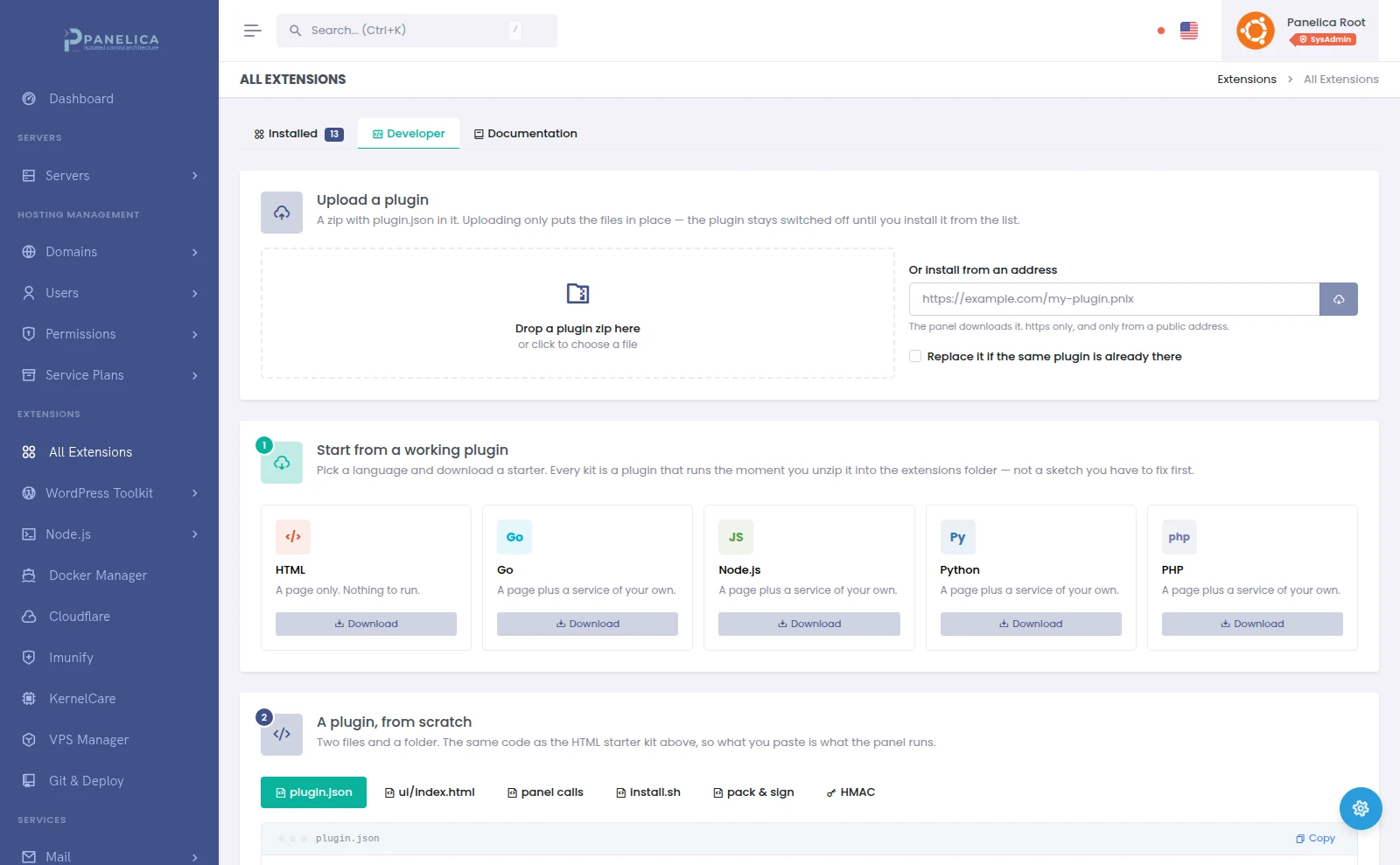
The contract is documented in the panel itself, on the server you are writing for, so the docs and the code are never two versions apart.
The Catalogue Today
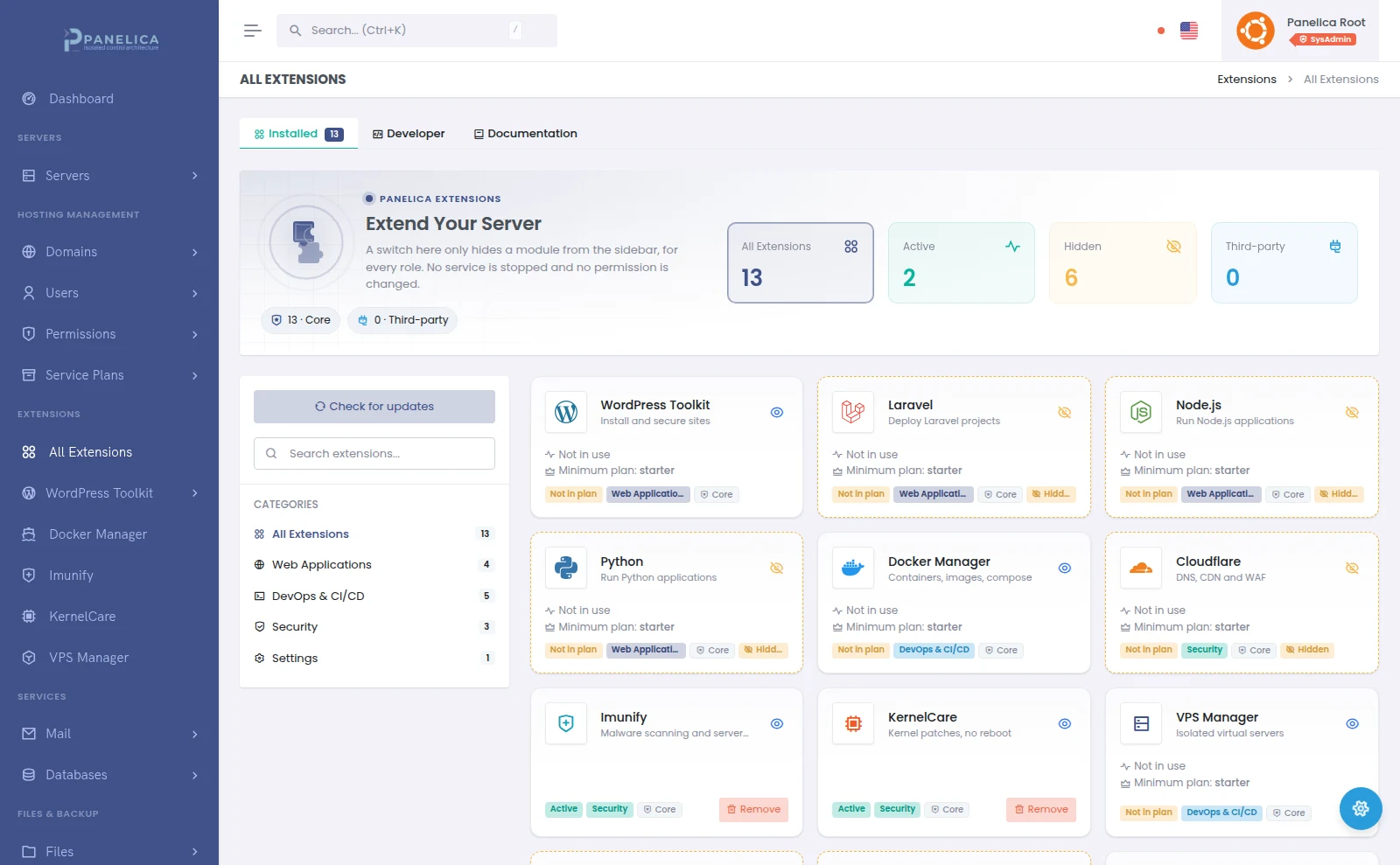
Thirteen modules ship inside the panel: WordPress Toolkit, Laravel, Node.js, Python, Docker Manager, VPS Manager, Git & Deploy, Virtual Desktop, Servers, Cloudflare, Imunify, KernelCare and Quick Launch. Each has a card, and eleven of them can be switched off if this server has no use for them. Switching one off hides it from the side menu for every role; nothing is uninstalled and no service is stopped, so running sites and containers are untouched.
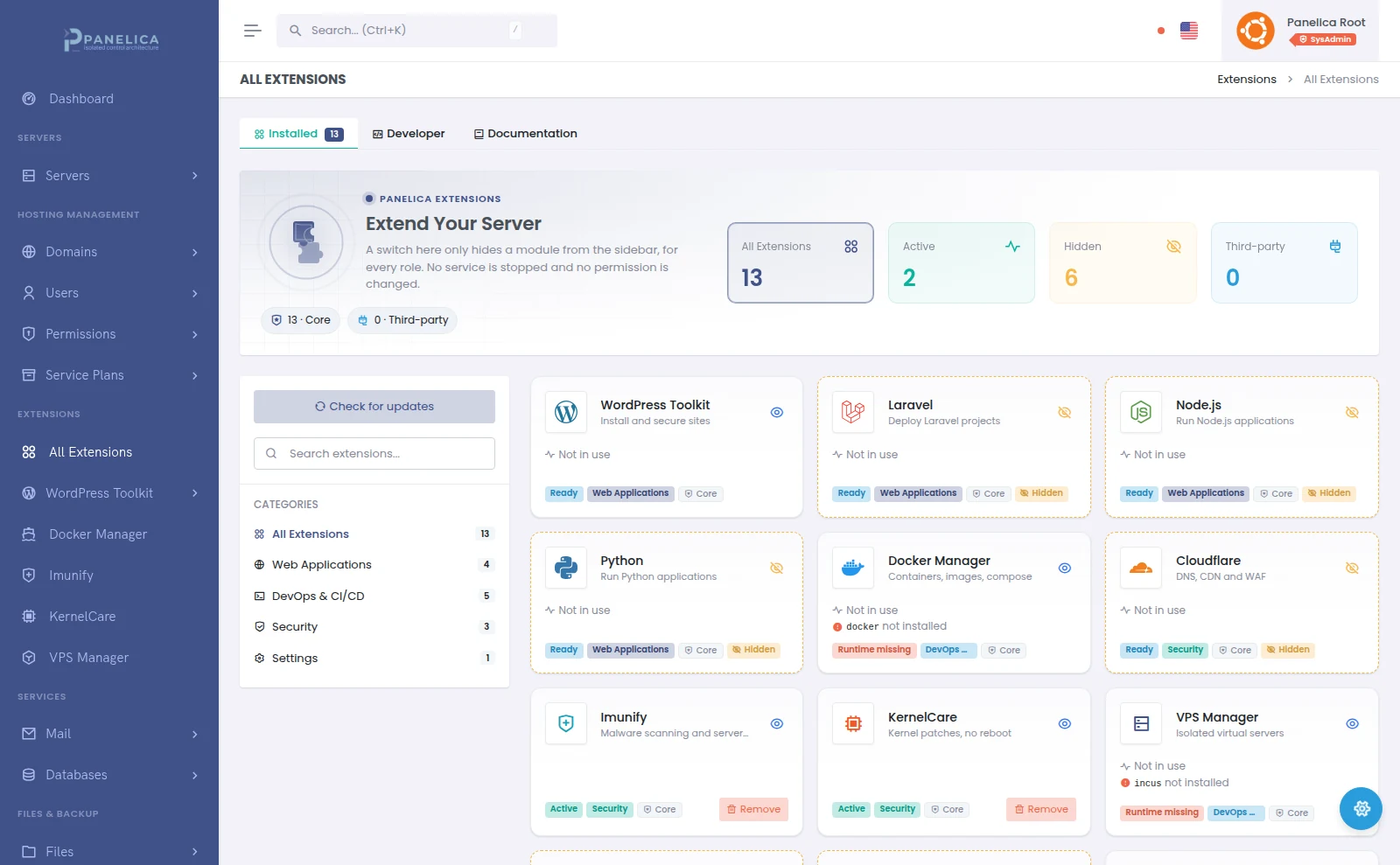
Thirteen modules, grouped by what they are for, with a counter for each state and a card for each one.
Hovering a card says what the module does and, more usefully, where it will appear once it is on. Enabling something called "Quick Launch" only helps if you know it adds a shortcut grid to the dashboard rather than a new menu entry.
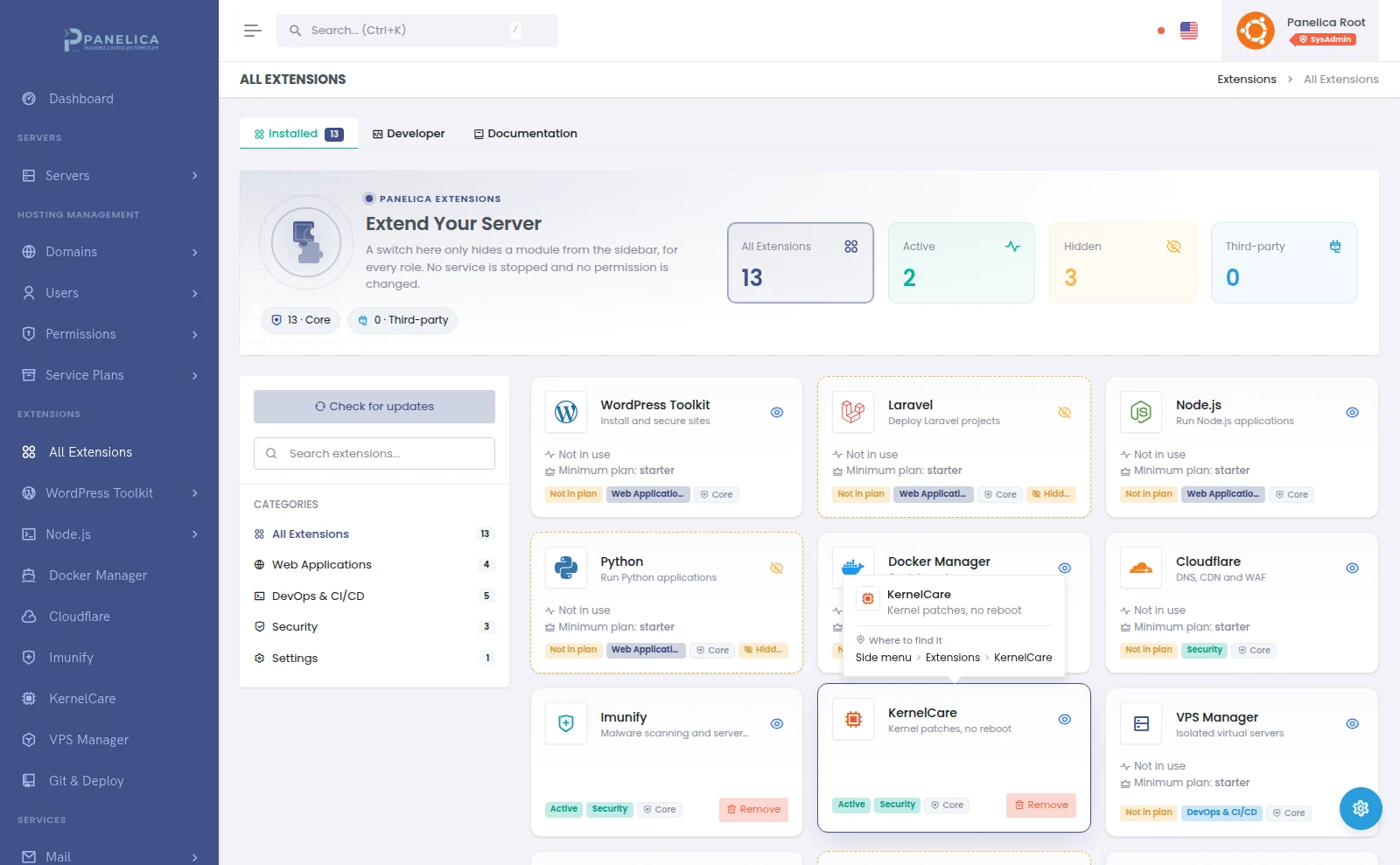
The path is built from the panel's own menu labels, so it is correct in all 31 interface languages.
A freshly installed panel starts with every switchable module off. A server already in use is never touched: the panel checks whether the setup wizard was completed, whether any domain exists and whether there is any account besides root, and if the server is live it leaves every module exactly as it was.
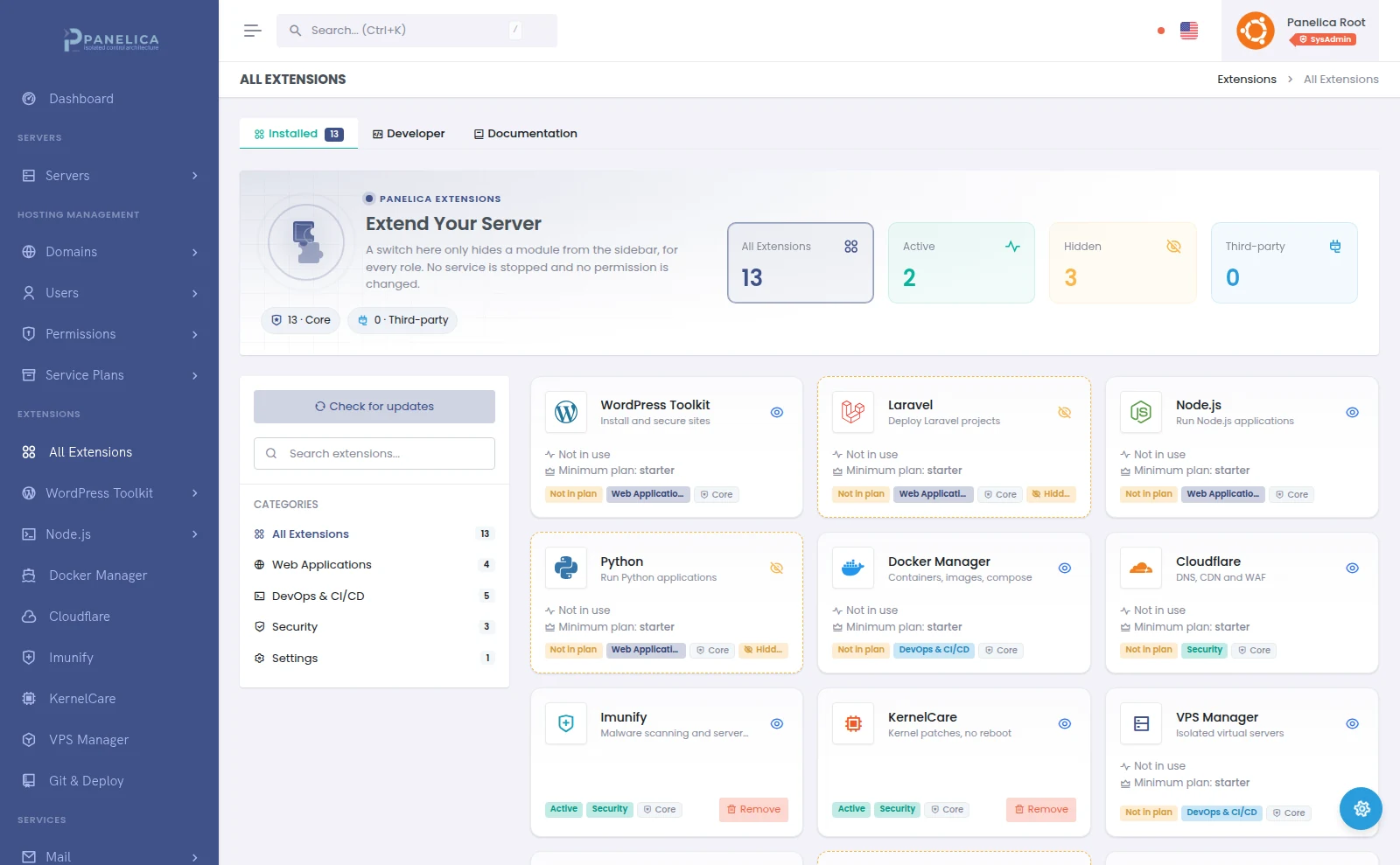
Day one on a new server: eleven hidden, and a side menu with no modules in it at all.
Node.js, Cloudflare and Git switched off. The menu loses them at once and the Hidden counter moves.
Imunify and KernelCare are only listed on servers where the vendor software is actually installed, so a panel that has never had them never shows a page for software it does not have.
Availability
The Extensions page, the plugin contract, Shield and the isolation layers are part of Panelica. There is no separate licence and no add-on to buy from us. Imunify360 and KernelCare are CloudLinux products and need their own keys from CloudLinux; ImunifyAV is free. The panel installs, licenses and removes them, and does not resell them.
Everything here runs on all nine operating systems Panelica supports: AlmaLinux 9 and 10, Rocky Linux 9 and 10, Debian 12 and 13, and Ubuntu 22.04, 24.04 and 26.04.
Frequently Asked Questions
Can I write a Panelica extension without asking you?
Yes. Download a starter kit, sign the package with your own key, and install it from a file or a URL you control. Nothing passes through us, and you can keep it private to your own company.
What languages can an extension be written in?
Any language that can serve a page or run a process. The panel ships starter kits for HTML, Go, Node.js, Python and PHP; the contract is HTTP and a manifest, so the choice is yours.
Is Imunify required, or does Panelica have its own malware scanner?
Panelica Shield is built in and needs no licence: ClamAV plus our own signatures, with quarantine, restore and allow lists. Imunify is the optional commercial alternative for operators who want its firewall and proactive defence as well.
Do I need a licence for KernelCare?
Yes, from CloudLinux. Panelica installs it, registers your key and removes it, but the licence is theirs.
Can an extension read my customers' files or databases?
Only if you approve an area that allows it, and the areas are narrow: reading is a GET prefix, writing is a single named call. The extension's process runs as a separate system account with no shell, inside its own slice, with the limits shown at approval time.
What stops a malicious update to an extension I already trust?
The signing key is pinned on first install. A later version signed by a different key is refused rather than installed, and you can roll an extension back to its previous version from the panel.
Will turning a module off break the sites that use it?
No. The switch hides the module from the menu. Files, databases and containers are untouched, no service is stopped, and switching it back on restores the menu entry exactly as it was.