The Panelica beta channel now carries the largest set of new features since the first stable release. Panelica Shield replaces the old malware scanner with LMD signatures and WordPress checksums; multi-server management lets one panel monitor and manage other Panelica servers; websites can use PostgreSQL next to MySQL, with pgAdmin for the administrator; remote backups can be browsed without downloading them; mailboxes moved from Plesk or cPanel keep working in the customer's existing mail program; and mail certificates and one-click webmail logins are available through the External API and CLI. These features ship in panelica-server 1.0.551 and 1.0.552 with panel-frontend 4.5.354 and 4.5.355. Each one has its own detailed guide, linked below.
How to Get These Updates
Beta builds are for testing before they reach the stable channel. To try them, open Panel Settings › System Updates, choose Stable + Beta, then apply the updates from Support › System Updates, or use Update All. We recommend a server you can experiment with first. Servers that stay on the stable channel receive these features once they are promoted.
Panelica Shield: Malware Scanning Built In
The malware scanner was rebuilt from scratch. Every hosting account is checked against the Linux Malware Detect signature set (verified and updated every six hours), Panelica's own signatures shipped inside the panel, and any file hashes you add. Official WordPress core and plugin files are recognised by their release checksums; modified core files are reported separately. Scans show their progress live, findings open with the matched lines highlighted, and quarantine is fully reversible. Automatic quarantine and the nightly scan are off until you turn them on.
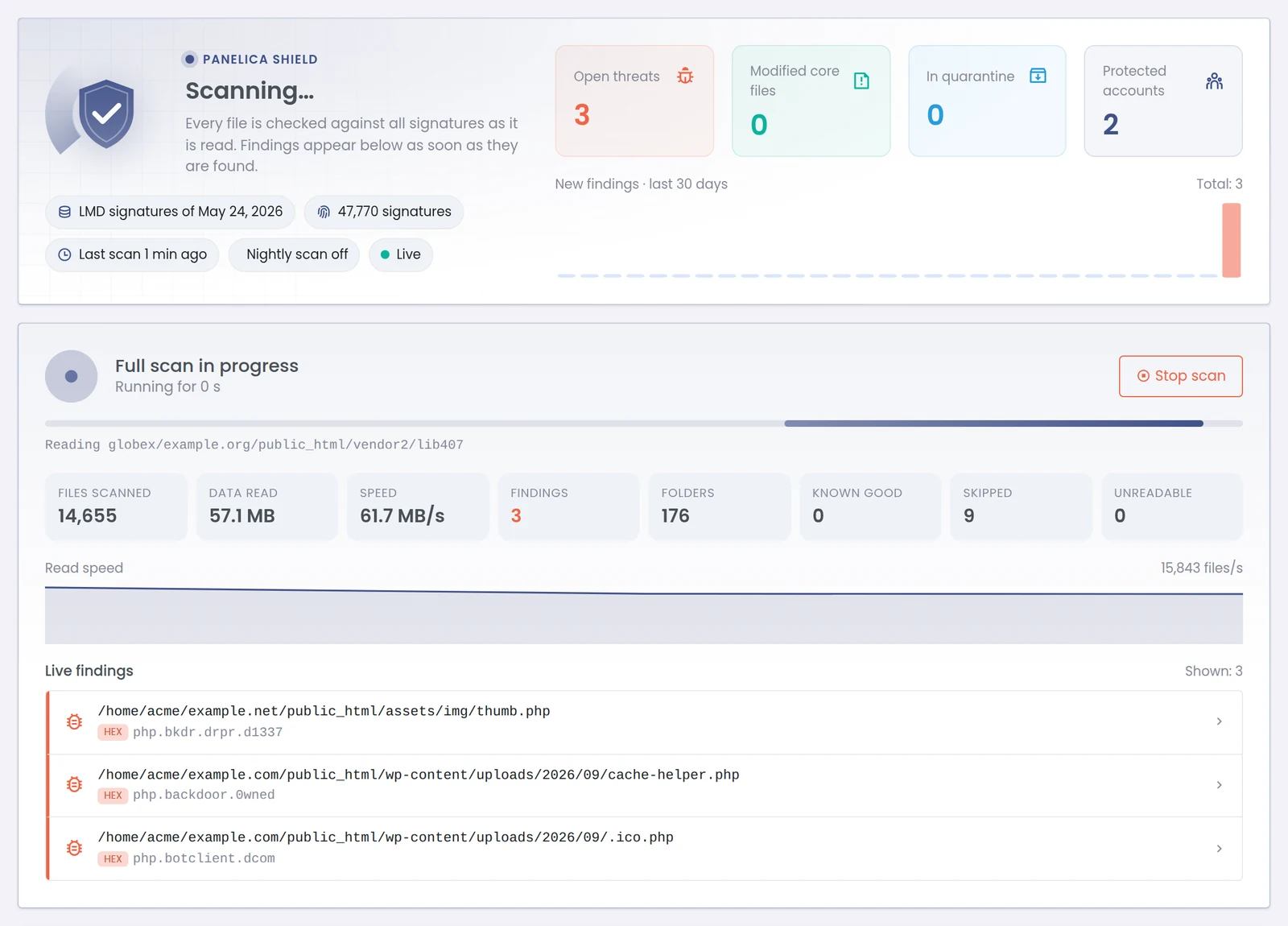
Panelica Shield during a full scan.
Full guide: Panelica Shield: Built-In Malware Scanning for Every Hosting Account
Multi-Server Management
One Panelica panel can now act as a master for your other Panelica servers. A server joins with a single-use link code; the master pins its certificate key and signs every request, and the server decides whether the master gets Full or Limited access. The master shows live resources for every server, lists domains and mailboxes across all of them, opens the other server's pages in its own window, and can place new accounts on a chosen server or automatically on the one with the most room. Each server stays a complete installation that keeps running without the master. The Servers list also gained uniform resource bars and a button that hides host names and IP addresses for screen sharing.
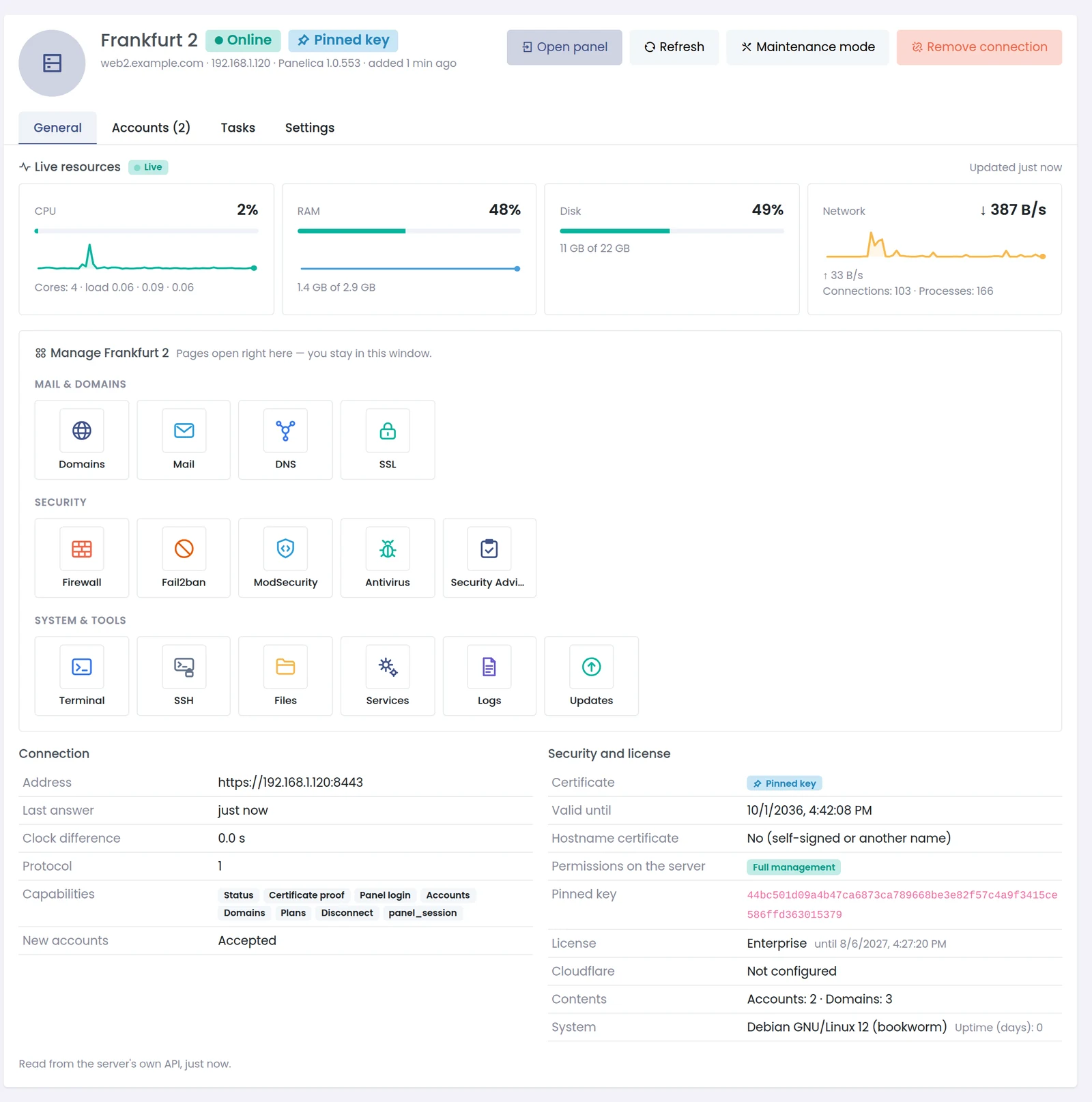
A connected server, managed from the master panel.
Full guide: Multi-Server Management in Panelica: One Panel for All Your Servers
PostgreSQL for Websites, With pgAdmin
A separate PostgreSQL server for customer sites installs with one click, apart from the panel's own database. Every account can create PostgreSQL databases for its domains, each with its own user; the panel shows ready-to-paste connection details, and the root administrator can open pgAdmin 4 with the server already registered. PostgreSQL databases are included in server backups.
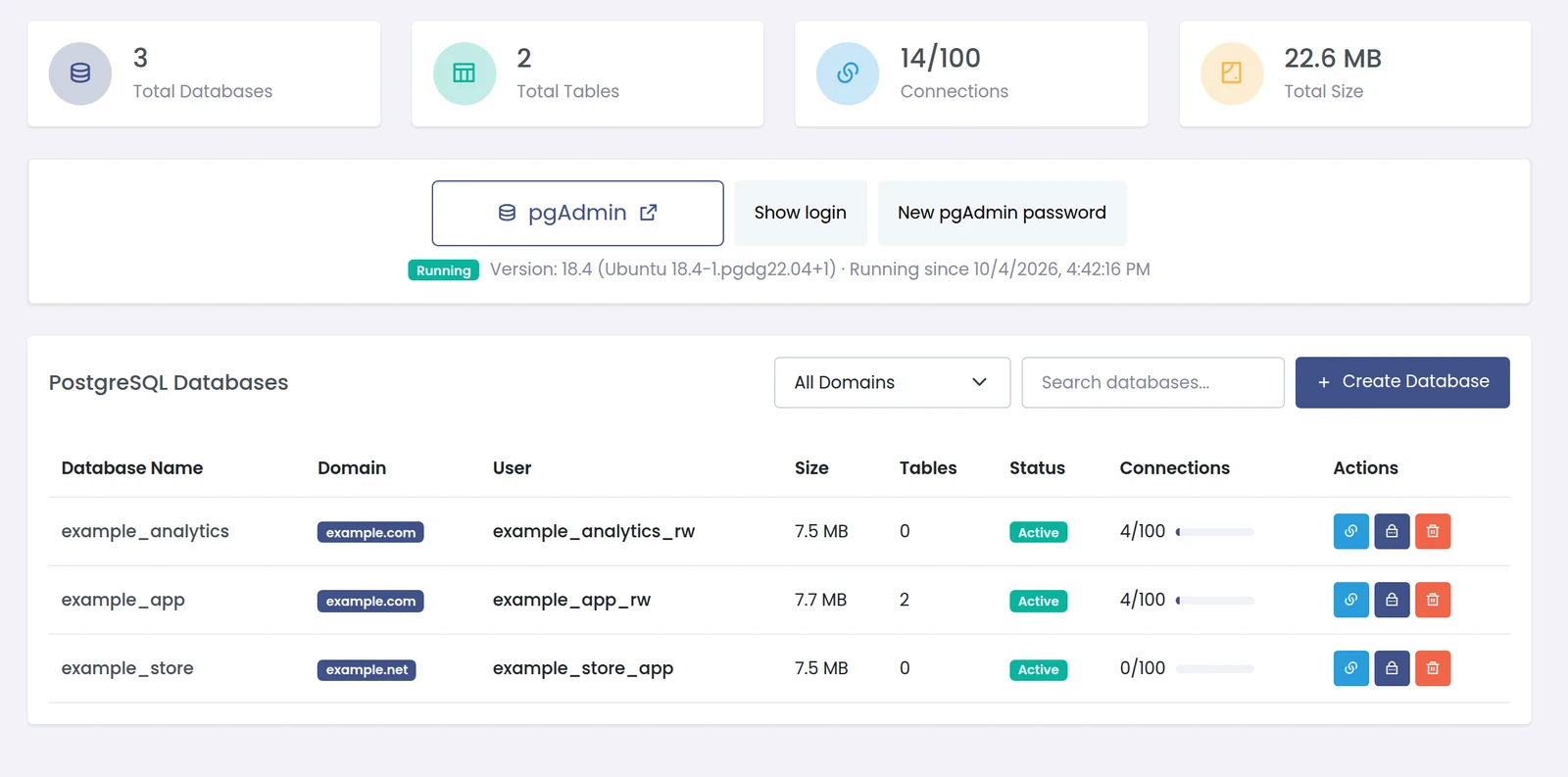
Databases › PostgreSQL.
Full guide: PostgreSQL Hosting in Panelica: Site Databases and One-Click pgAdmin
Remote Backups You Can Actually Use
Backups that live only on S3 and S3-compatible storage, Google Cloud Storage, Google Drive or SFTP are listed on the restore page by name. You can browse their files, databases and mailboxes without downloading the archive, pull one to the server as a background job with progress and a cancel button, upload manual backups to chosen destinations and delete the local copy once every upload is verified, and give remote storage its own retention period in each schedule.
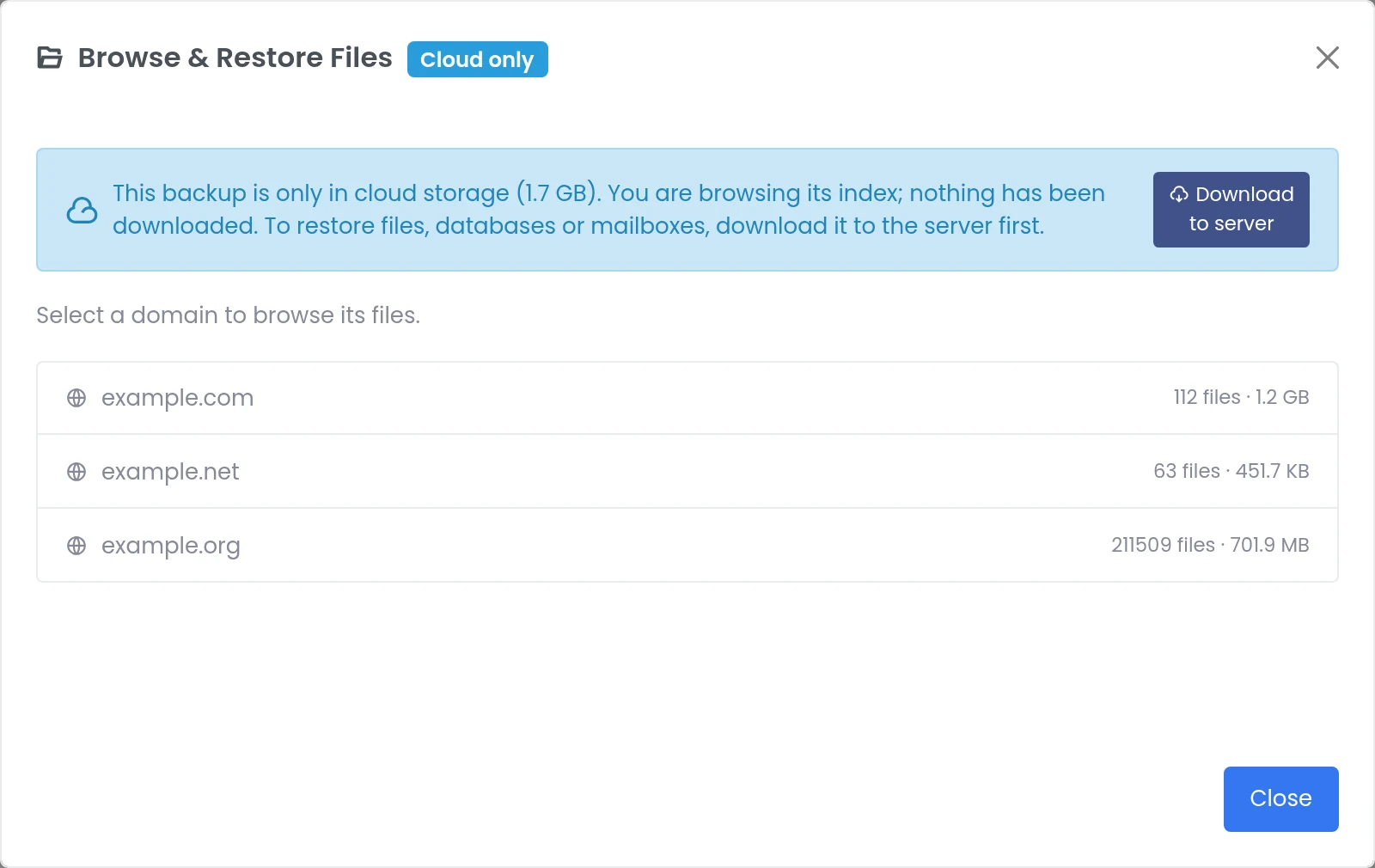
Browsing a cloud-only backup; nothing has been downloaded.
Full guide: Remote Backups in Panelica: Browse Before You Download, Cancel Anytime
Mail Moved From Plesk or cPanel Keeps Working
Mail programs set up on Plesk or cPanel ask for folders such as INBOX.Sent and used to recreate them under the Inbox after a move. A per-mailbox compatibility switch now merges those folders into the real ones and makes the old names point at them, without deleting any mail, and keeps the spam folder the mailbox already had. Plesk and cPanel migrations turn it on automatically. Every mailbox also announces its folder roles to mail programs, and phantom folder subscriptions from older versions are removed.
Full guide: Moving Mail From Plesk or cPanel Without Breaking Mail Clients
Mail SSL and One-Click Webmail in the API and CLI
The External API and the panelica command line can issue a domain's mail certificate (for the mail host and webmail.<domain>) and report its status, including the certificate authority's exact error on failure. A second call returns a single-use, 60-second webmail login link for a mailbox, without touching its password — ready for a client area button. The certificate also has its own card on the domain's SSL tab. External-mode signing in the CLI was fixed along the way.
Full guide: Mail SSL and One-Click Webmail via the Panelica API and CLI
Smaller Improvements and Fixes
| Area | Change |
|---|---|
| Domains | Domain aliases now open the site when Apache serves it; www. on subdomains is served by the right site |
Compressed mail moved from cPanel opens normally; real postmaster@, abuse@ and hostmaster@ mailboxes keep their mail; the Webmail button next to a mailbox opens that mailbox | |
| Mail certificates | Issuing a certificate for the domain of the server's own host name no longer replaces the server-wide default mail certificate |
| Migration | Plesk migration keeps each site's own PHP version |
| Databases | Deleting a database no longer removes a database user shared with other databases; a database that exists only in the panel's records can be cleaned up safely |
| Backups | Encrypted backups are streamed without loading them into memory; granular restore is safer and keeps folders; a failing domain no longer stops a whole scheduled backup |
| Connections | Google Drive and mail import sign-ins no longer stop on a blank popup |
| Users | A strong password generator when creating a user |
| OpsAI | Images and screenshots can be pasted or attached in the agent window |
| Stability | A suspended account can no longer break the nginx configuration of the whole server; subdomain PHP pools are recreated after updates |
Frequently Asked Questions
Are these features available on the stable channel?
Not yet. They are on the beta channel in panelica-server 1.0.551 and 1.0.552 and move to stable after testing.
Do any of these features cost extra?
No add-on is needed. Multi-server management needs an Enterprise license on the master panel; connected servers need a paid license that includes server linking.
Will updating change how my existing servers behave?
New behaviour that could move customer files or mail is off by default: Shield's automatic quarantine and nightly scan, local-copy deletion for backups, and remote retention (0 means remote copies are kept forever) all start disabled.
Can I go back to the stable channel?
Yes, switch the channel back to Stable Only. The panel only offers versions newer than the installed ones, so beta packages you already applied stay in place until a newer stable version arrives; nothing is downgraded.
Where do I find step-by-step guides?
Each feature above links to its own guide, and the forum at forum.panelica.com has a short how-to thread for each.